20 Best ecommerce stores to run your shop in Kenya
The best ecommerce platforms to run your shop in Kenya are Shopify, Squarespace, Wix (best for small to medium-sized businesses), and WordPress with WooCommerce integration (best for customized WordPress websites). Before choosing an ecommerce platform, you will need these essentials to get started: Some ecommerce platforms do not have direct M-Pesa integration, so you may<a href="https://quorage.com/digital-marketing/best-ecommerce-stores-to-run-your-shop-in-kenya/">Continue reading <span class="sr-only">"20 Best ecommerce stores to run your shop in Kenya"</span></a>

Mumbi Wanjiku
Contributing Writer @ Quorage

The best ecommerce platforms to run your shop in Kenya are Shopify, Squarespace, Wix (best for small to medium-sized businesses), and WordPress with WooCommerce integration (best for customized WordPress websites).
Before choosing an ecommerce platform, you will need these essentials to get started:
- Products to sell
- Clear product photos (some of these websites require professional images on a white background)
- Payment methods such as M-Pesa, PayPal, credit cards, debit cards, or a bank account
- A delivery system for fulfillment
Some ecommerce platforms do not have direct M-Pesa integration, so you may need third-party payment gateways such as Flutterwave or DPO Pay to accept M-Pesa payments.
Additionally, some ecommerce websites also require a domain name and hosting plan to keep your website online. Shared hosting is the best option for small businesses because it is cheaper and easier to manage. While dedicated hosting is better for large businesses that need faster performance and more control. A good, affordable hosting provider is HostPinnacle.On the other hand, Cloudways is one of the best premium options for dedicated server hosting.
You should also plan for delivery before launching your store for platforms that do not handle delivery. You can use DHL for international shipping and Pickup Mtaani for local deliveries. Some sellers also rent shelves or pickup spaces in Nairobi where customers collect packages. The shelves cost approximately KSh 2,000 to KSh 10,000 per month, depending on location.
The right platform for you depends on your budget, technical experience, customization needs, and the type of products you want to sell. However, many business owners struggle to choose the right ecommerce store because some platforms are expensive, difficult to use, or lack key features such as M-Pesa integration, mobile-friendly design, or local payment support.
In this guide, we will cover the 20 best ecommerce platforms to run your shop in Kenya. We include their pricing, advantages, disadvantages, and the type of business each platform is best for. Whether you are starting a small online shop, or building a large ecommerce brand, this article will help you find the best platform for your business needs.
Let’s check them out.
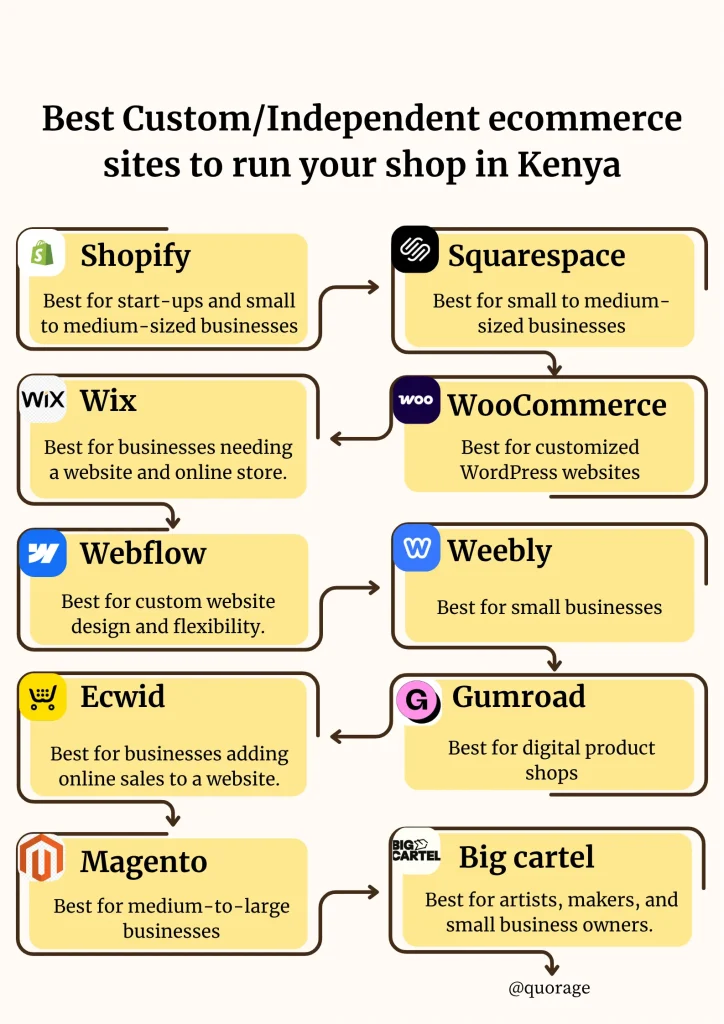
Best Custom/Independent ecommerce sites to run your shop in Kenya
1. Shopify: Best for start-ups and small to medium-sized businesses
Shopify is a beginner-friendly e-commerce platform that allows users to create an online store without coding or technical skills.
It handles hosting, software updates, website security, and store performance, making it easier for you to focus on selling products and growing your business.
To receive payments as a Kenyan business owner, you will need third-party payment providers such as PayPal, Flutterwave and the DPO Group. You also need a delivery system in place and professional photos of the product you’re selling.
Website URL: https://www.shopify.com/
Price: Shopify plans start from $19 to $2300
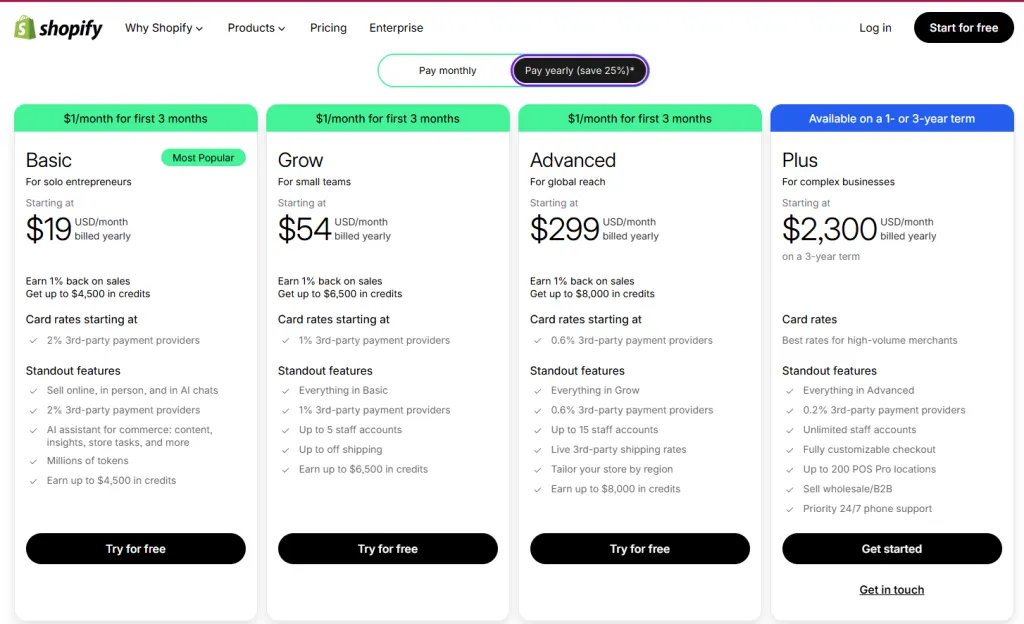
Transaction fees: Shopify does not charge transaction fees when using Shopify Payments. However, since Shopify Payments is unavailable in Kenya, users must use third-party payment providers and pay extra transaction fees.
Beginner-friendly store setup? Yes, Shopify is beginner-friendly and doesn’t require coding knowledge or technical experience.
M-Pesa integration available? No, Shopify does not directly support M-Pesa integration; it requires third-party payment providers such as Flutterwave and PayPal.
Other payment options: In Kenya, you can use providers such as PayPal, Pesapal, Flutterwave, Paystack, DPO Group, and Payoneer to accept payments.
With Shopify, you can build an online shop to sell your products without needing to be a tech expert. Shopify takes care of hosting, software updates, payment handling, and website speed. All you have to do is focus on growing your business.
You can use Shopify’s free branded domain name when starting out (eg. Yourstore.myshopify.com). However, it is recommended to purchase a custom domain (e.g., yourstore.com) to make your store look more professional. You can purchase a domain directly from Shopify or from domain providers like Namecheap and connect it to your store.
Shopify is a good platform for small businesses on a budget because plans start from $19 per month. However, Shopify does not offer a free plan, so you must pay a monthly subscription fee to keep your store running. You should also consider extra costs such as transaction fees for third-party payment gateways, premium themes, and a custom domain name. These expenses can add up over time, so it is important to plan your budget before starting.
To run a successful online shop on Shopify, you need:
- Payment methods
- A delivery system in place
- A custom domain (Optional but recommended)
- Professional product photos to post on your shop
2. Squarespace: Best for small to medium-sized businesses
You create your website using a drag-and-drop interface that allows you to see changes on the screen as you build.
Squarespace also provides hosting, website templates, and ecommerce tools on a single platform, making it easy to manage your online store.
To start an online shop, you need professional product images, a payment method such as PayPal or Stripe to accept payments, a delivery method to get products to customers, and a domain name for your website, which you can purchase directly through their website.

Website URL: https://www.squarespace.com/
Price: Starts from $16 to $99 per month
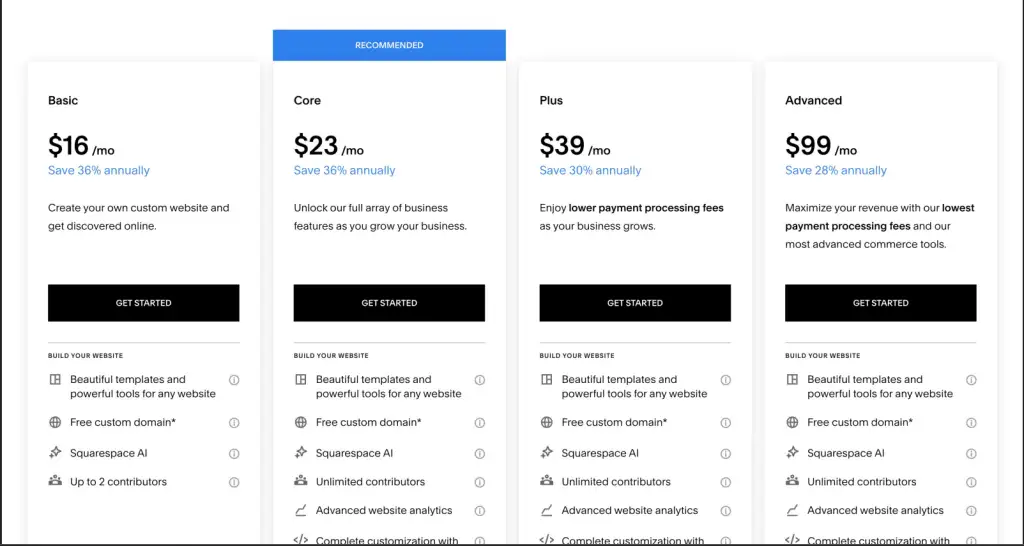
Transaction fees: Yes. Squarespace charges a transaction fee, depending on the plan you use:
- For the basic plan that costs $12 a month, you pay a 2% transaction fee on physical goods and 7% on digital goods.
- For the core plan that costs $17 a month, you pay 0% on physical goods and 5% on digital goods.
- With the Plus plan at $39 a month and the advanced plan at $99 a month, there are no transaction fees for both physical and digital products. You only pay for credit card processing fees.
Beginner-friendly store setup? Yes, Squarespace is a beginner-friendly website that doesn’t require coding or technical experience.
M-Pesa integration available? No. Squarespace does not directly support M-Pesa integration. You can use a third-party gateway like PayPal to connect to your M-Pesa.
Other payment options: Stripe
Squarespace is an all-in-one, beginner-friendly website builder and hosting platform designed to help users create professional websites and online stores without needing coding skills. It is best for creatives, entrepreneurs, and small businesses that want to launch a website quickly and easily.
Squarespace has no free plan, and pricing starts from $16 per month. This fee includes hosting, security, and templates, making it cheaper than hiring a developer or designer to build a website for you. However, transaction fees and monthly subscriptions can increase your total expenses, so plan your budget carefully before you start.
Squarespace is simple to use because it uses a drag-and-drop system that allows users to build and edit websites without coding. It also offers mobile-friendly designs that automatically adjust to different screen sizes. However, the platform offers limited design flexibility compared to WordPress, as you are restricted to its built-in templates and customization options.
To run a store on Squarespace, you need:
- Physical or digital products to sell
- Professional product images to upload to your website
- Payment method
- A domain name for your website, which you can buy from Squarespace, GoDaddy, or Namecheap.
3. Wix: Best for small businesses that want both a website and an online store in one place
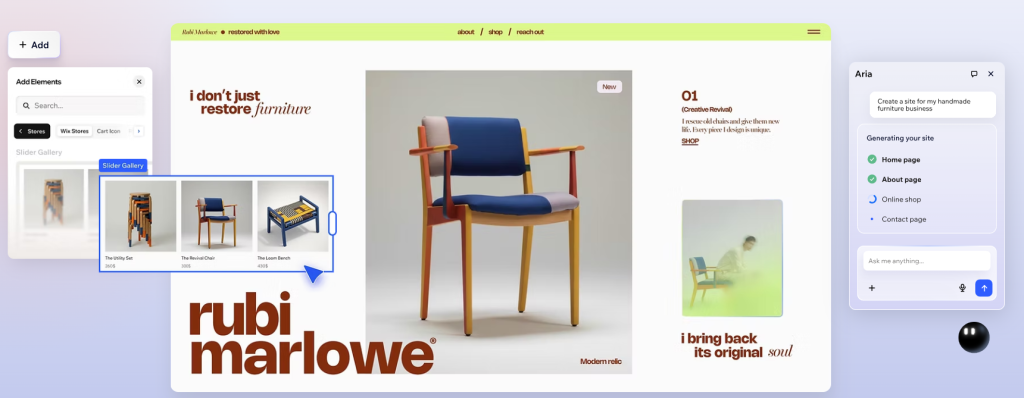
Wix is best for small business owners, freelancers, and creatives who want to quickly set up an online store without coding. It is a good option for businesses on a budget because it offers a free plan, although online selling requires a paid ecommerce plan. To run a Wix online shop, you will need high-quality product images, a payment method such as PayPal or Stripe, and a delivery fulfillment method.
Website URL: https://www.wix.com/
Price: They offer a free plan. And their featured plans start from $17/month to $159 per month.
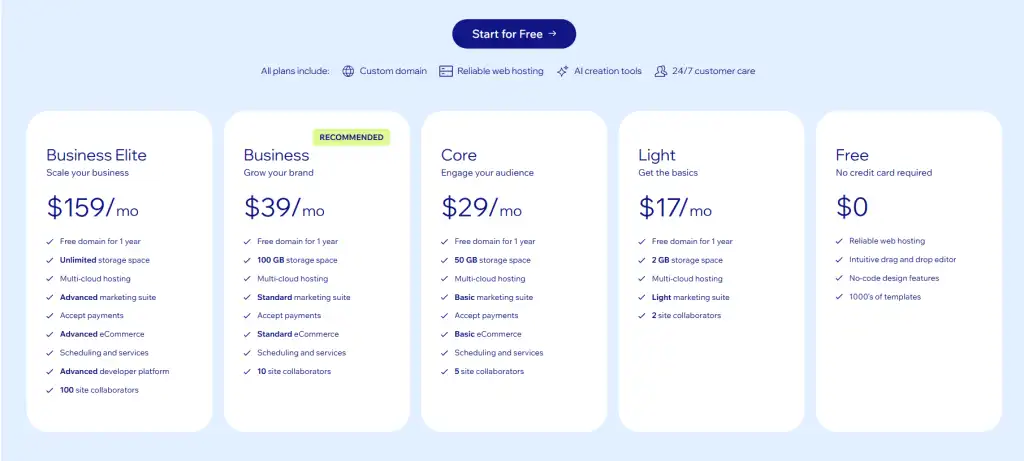
Transaction fees: Wix doesn’t charge any transaction fees.
Beginner-friendly store setup? Yes. Wix has a beginner-friendly store setup.
M-Pesa integration available? No. For MPesa integration, you need to use third-party apps such DPO Group.
Other payment options: PayPal, credit card, debit card, Apple Pay, and Google Pay
Wix is one of the best platforms for creating an online store in Kenya if you want something cheap and easy to set up. No coding experience is needed, making it ideal for small business owners, freelancers, and creatives who want to launch a professional website quickly. It uses a drag-and-drop editor, ready-made templates, and mobile-friendly designs. This allows you to easily build and manage your store, products, and payments from one dashboard.
Wix also offers a free plan, making it a great option for businesses on a tight budget, though it includes Wix branding and has limited features. Paid plans start from around $17 per month and unlock more tools for running an online store. You don’t need to buy a domain to start because Wix gives you a free Wix-branded domain. But you will need to upgrade to a paid plan to connect or purchase a custom domain for a more professional look.
Wix has limited flexibility for advanced customization because you are working within its built-in system. This makes it less suitable compared to more flexible platforms like WordPress if you want full control over design.
To run your online shop using Wix, you need:
- Professional product images for your website
- A payment method such as PayPal or Stripe
- A domain name. You can purchase one from Wix
- A shipment process to get your products to customers
- A paid Wix ecommerce plan to unlock online selling features.
4. WooCommerce: Best for customized WordPress websites
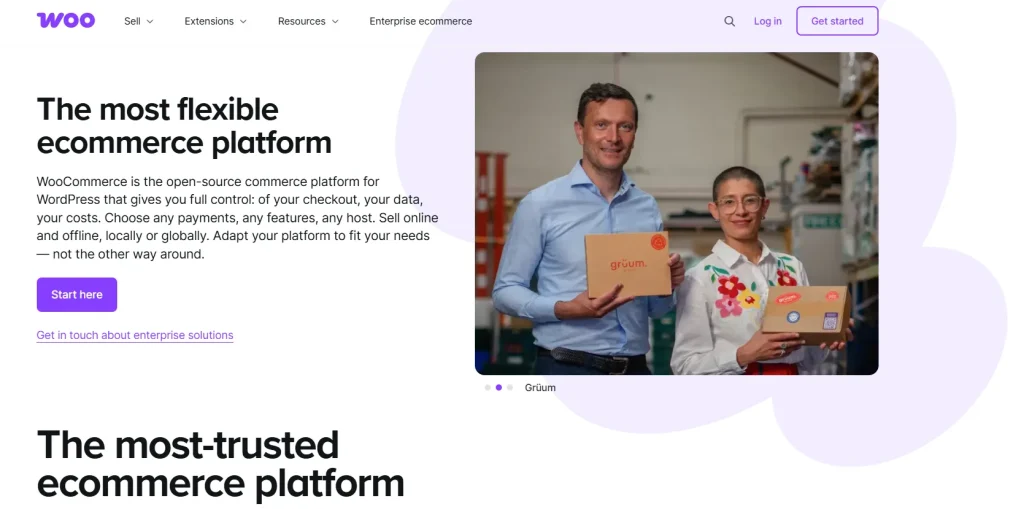
WooCommerce is a free plugin that turns a WordPress.org website into a fully functional online store.
WooCommerce is ideal for small- to large-scale businesses that want to customize every part of their website, scale over time, and avoid monthly platform fees. However, it can be more difficult for beginners because setting up hosting, themes, plugins, and payment processing may require technical knowledge or assistance from a developer.
To run a WooCommerce store, you need a WordPress.org website, a domain name, web hosting, a theme, and payment plugins.
WooCommerce itself is free. However, you pay annually for hosting and domain services. Additional costs may come from premium themes, plugins, or hiring a web designer and developer.
Website URL: https://woocommerce.com/
Price: WooCommerce is free, but you pay for hosting, domain name, themes, and extra plugins. You may also need to pay a web designer to create the layout and a developer to build your website.
Transaction fees: WooCommerce does not charge transaction fees.
Beginner-friendly store setup? No. Setting up a store with WooCommerce isn’t beginner-friendly. You will need coding experience or hire a web designer and developer to help create your website.
M-Pesa integration available? Yes. WooCommerce allows M-Pesa integration
Other payment options: PayPal, debit cards, credit cards, Stripe, and bank transfer
WooCommerce is another platform you can use to set up your ecommerce store. However, you create your store from scratch, you need coding experience, or you have to hire a web designer or web developer to create your store.
WooCommerce is a free plugin that turns a normal WordPress website into a fully functional online shop where you can sell products, receive orders, manage stock, and accept payments online. It is more expensive than simple drag-and-drop website builders at the beginning. But the advantage is that you fully own and control your website. You do not pay monthly platform fees for using the website itself. WooCommerce works by being installed on a WordPress.org website, after which you can upload products, create categories, set prices, connect payment methods, and customize your store to match your business.
Note that there is a difference between WordPress.com and WordPress.org. We recommend WordPress.org because it lets you upload custom-built themes and plugins, giving you complete freedom to design your store exactly the way you want. WooCommerce is best for businesses that want a professional online store with advanced features and room to grow.
Beginners may find WooCommerce challenging because setting up hosting, themes, plugins, and payments can require some technical knowledge. You may need to hire a designer to create your website layout and a developer to build the website.
To run your WooCommerce shop, you will need:
- Domain name
- Web hosting
- WordPress.org website
- Themes and plugins for payments.
You pay yearly for the domain name and hosting. A good, cheap hosting provider is HostPinnacle, while Cloudways is one of the best premium options, offering dedicated server hosting for larger or faster-growing businesses.
5. Webflow: Best for small businesses that need more control over the custom design of their website
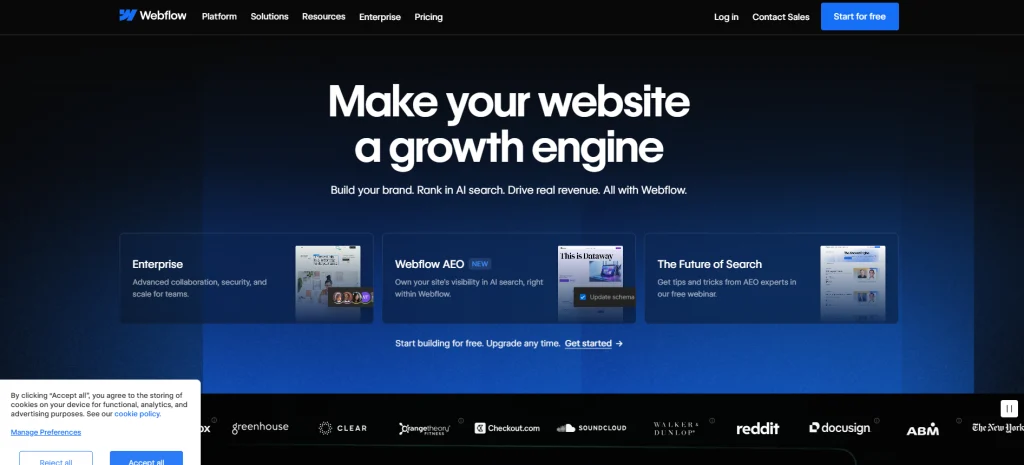
Webflow is a website builder that operates like a visual coding tool, meaning you design your website on the screen while the platform generates the code in the background. It also gives you access to the code if you want to make changes later. You can build a website from scratch or use templates like the ones on Wix or Squarespace. However, you need some understanding of how websites work because the tools are more advanced than those of beginner-friendly website builders. To run an online shop on Webflow, you will need Webflow hosting, a custom domain name, and payment gateways like Stripe or PayPal so customers can pay for products online.
Website URL: https://webflow.com/
Price: Webflow has a free plan, and its plans start from $15 to $2500
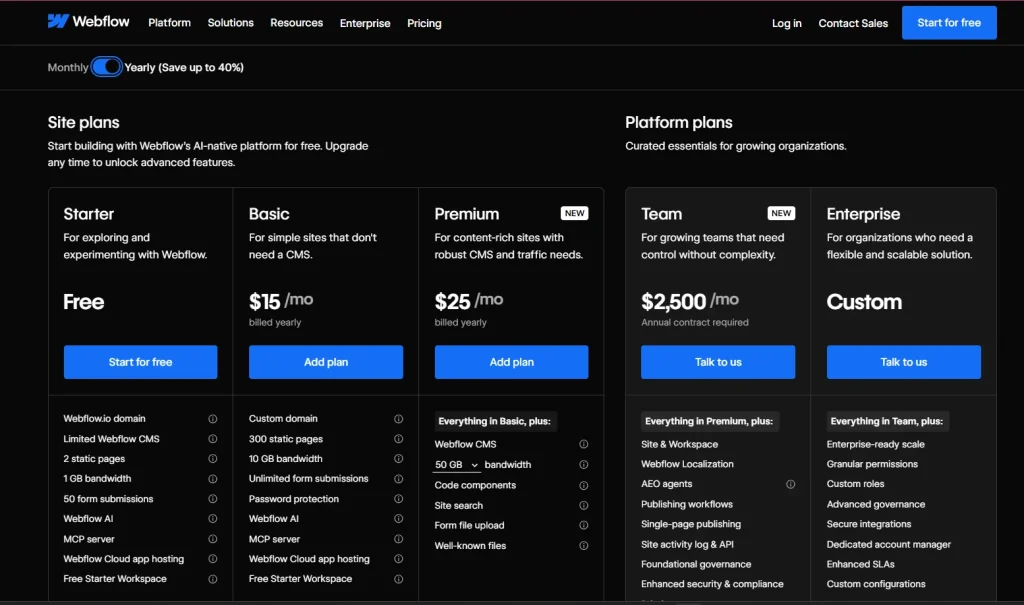
Transaction fees: Yes, Webflow charges a 2% transaction fee on its free and basic plans. The rest of the plans don’t charge any transaction fee.
Beginner-friendly store setup? No. Webflow’s store setup isn’t beginner-friendly.
M-Pesa integration available? No. Webflow doesn’t offer M-Pesa integration
Other payment options: PayPal, Stripe, debit cards, and credit cards.
Webflow is a website builder that works like a visual coding tool. This means you build your website by dragging and arranging things on the screen, while Webflow writes the website code for you in the background. Unlike simple builders, Webflow also gives you access to the code if you want to change or improve anything later. You can design almost every part of your website, which gives you more freedom to create something unique.
Webflow lets you create a website from scratch or use ready-made templates like those on Wix or Squarespace. You don’t need to know how to code to use it, but it helps to understand how websites are structured, as the tools are more advanced.
Webflow is best for brands that want more control over website design. Beginners may find the platform confusing at first, and some ecommerce features, such as advanced online store tools and hosting plans, can become expensive as your business grows.
To run your online shop, you will need:
- Webflow hosting
- A custom domain name
- Payment gateways like Stripe or PayPal to accept customer payments
- A delivery system
6. Weebly: Best for small businesses
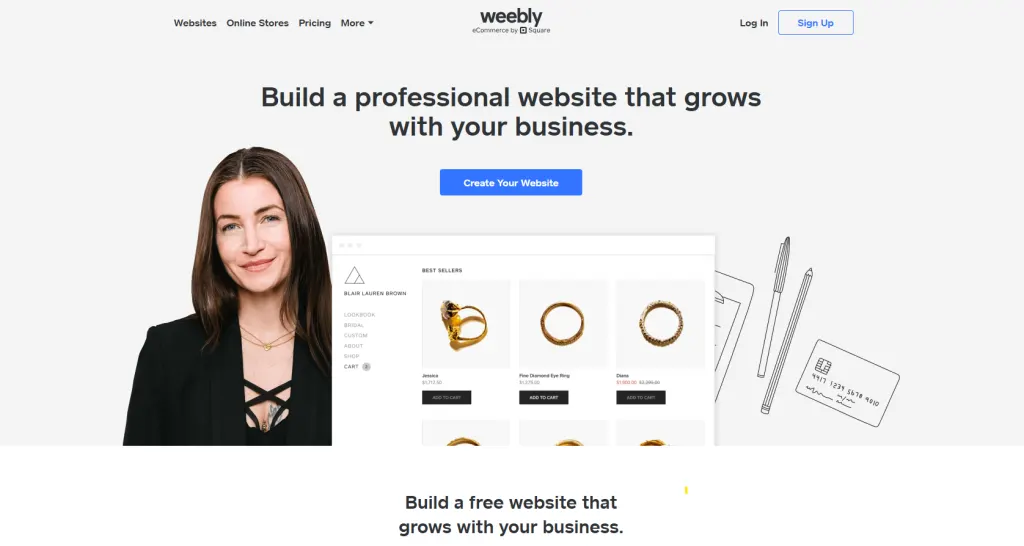
Weebly is a website builder designed for beginners and small businesses that want to quickly create an online store without coding skills. It works using a drag-and-drop system that allows users to easily move items around the page. However, it offers limited customization and fewer marketing tools, which makes it difficult for businesses seeking advanced designs or rapid growth. Users may also need additional paid tools, which can increase costs over time. To run a Weebly store, you need features such as a domain name, payment gateways like PayPal or Stripe, and a paid ecommerce plan that allows online selling.
Website URL: https://www.weebly.com/?lang=en
Price: They offer a free plan. Prices for their featured plans start from $13 to $32
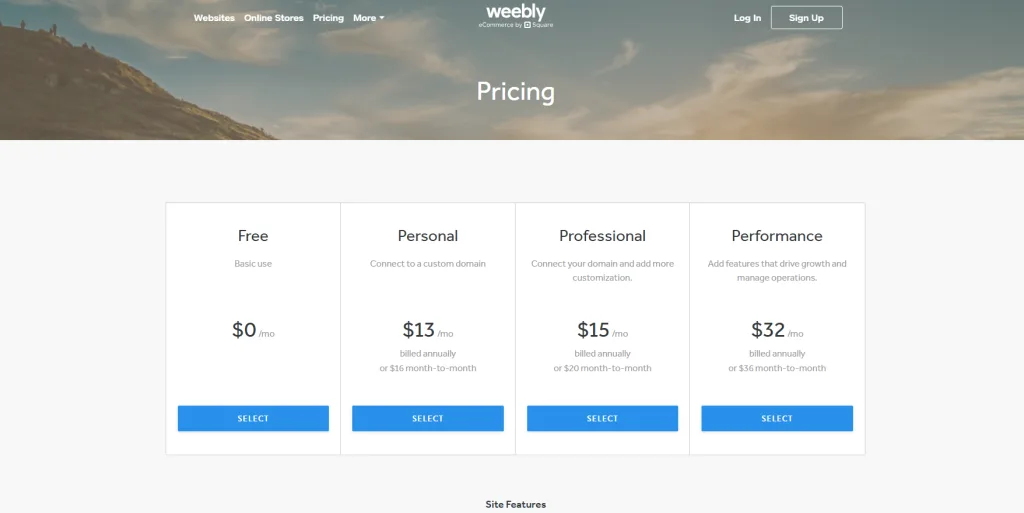
Transaction fees: If you use Weebly’s top-tier Performance plan, you won’t pay any extra transaction fees. But if you use the Free, Personal, or Professional plans, Weebly takes a 3% fee from every sale you make.
Beginner-friendly store setup? Yes, Weebly’s store setup is beginner-friendly
M-Pesa integration available? Weebly doesn’t offer M-Pesa integration
Other payment options: PayPal and Stripe
Weebly is a beginner-friendly website builder that entrepreneurs can use to create, manage, and grow an online store. It is designed for people who want to build a website quickly without needing to code or have technical skills.
Weebly uses a drag-and-drop interface that allows you to move text, images, buttons, and products around the page. Because of this, beginners can design a professional online shop without hiring a web developer. In addition, Weebly has a phone-friendly interface, making it easy to manage your website from both a computer and a mobile device. It also includes built-in ecommerce features like product listings, shopping carts, and inventory management.
However, Weebly has limited customization; therefore, it may not be the best choice if you want a unique or advanced website design. It also has fewer marketing features, so your store may struggle to compete without extra marketing tools or paid upgrades. Furthermore, businesses growing very fast may outgrow the platform quickly.
To run a Weebly online shop, you need:
- A domain name (for paid plans)
- Payment gateways like PayPal or Stripe
- A paid ecommerce plan to unlock selling features
7. Ecwid: Best for small businesses that already have a website and want to start selling online
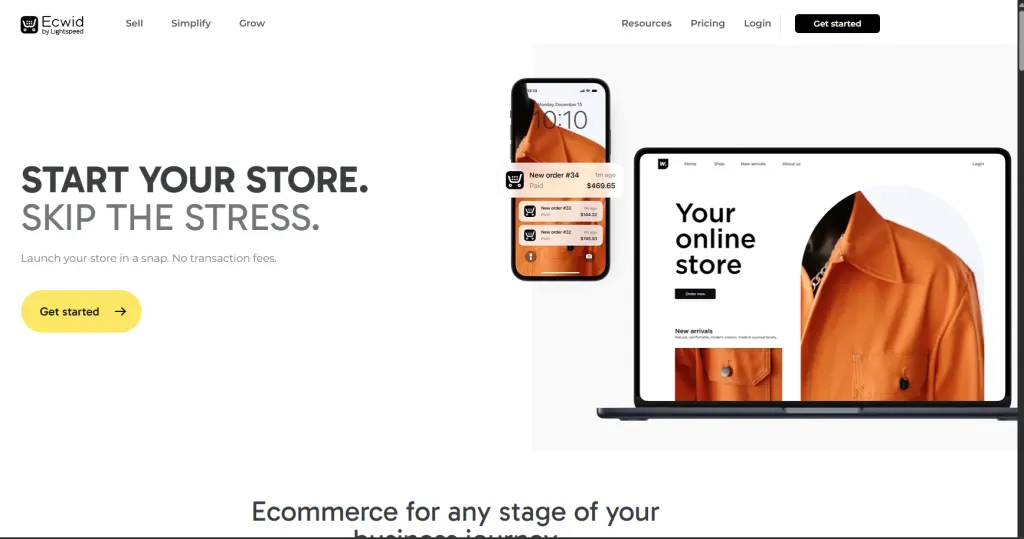
Ecwid is an ecommerce platform that lets you add an online shop to an existing website, blog, or social media page, rather than building a website from scratch. It is easy to use and allows sellers to manage products across platforms such as Instagram, Facebook, TikTok, Amazon, and eBay from a single dashboard. Ecwid also does not charge transaction fees, helping businesses keep more of their profits. However, the platform offers limited customization, page limits on some plans, and weak blogging features for content marketing. To use Ecwid properly, a business needs website hosting, a domain name, payment gateways such as PayPal or M-Pesa integrations through Flutterwave or DPO, and products ready to sell online.
Website URL: https://www.ecwid.com/
Price: Set up prices for Ecwid start from $5 to $149 per month for a monthly plan, and from $5 to $119 for an annual plan
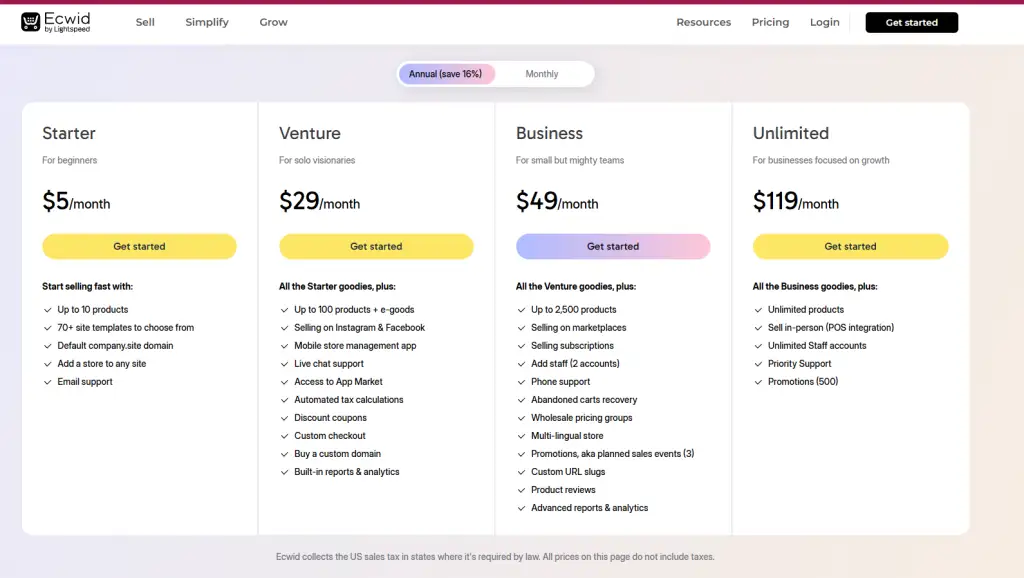
Transaction fees: No. Ecwid does not charge any transaction fees on its plans
Beginner-friendly store setup? Ecwid has a beginner-friendly store set up
M-Pesa integration available? Yes, Ecwid allows M-Pesa payments via third-party payment gateways such as DPO Pay, all of which also support STK Push (Lipa na M-Pesa).
Other payment options: PayPal, PayGate, SeerBit
Ecwid, which is short for “ecommerce widget,” is a flexible e-commerce platform that helps you create an online shop without needing advanced technical skills. It is a good option for small businesses, beginners, and entrepreneurs who already have a website, blog, or social media page and want to start selling products online.
Unlike other platforms that require you to build a website from scratch, Ecwid lets you add a shopping cart to an existing website and quickly turn it into a fully functional online store.
In addition, it can connect your products to Instagram, Facebook, TikTok, Amazon, and eBay, so you can manage everything from a single dashboard.
Another advantage is that Ecwid does not charge transaction fees when you use your preferred payment gateways, allowing you to keep more profit from your sales. However, the platform offers limited customization options, and even higher plans, such as the Business plan, allow only a small number of website pages. It also lacks strong built-in blogging tools, making content marketing more difficult.
To run an Ecwid store successfully, you need:
- Website hosting (If you integrate Ecwid with your custom-built website)
- A domain name ( so it reads yoursstore.com)
- Payment gateways like PayPal or M-Pesa integrations through Flutterwave or DPO
- A delivery system
8. Gumroad: Best for digital product shops
Gumroad is an ecommerce platform that helps creators sell digital products like e-books, courses, music, software, and templates online. It is easy and affordable to use, allows direct communication with customers through email collection, and is best for independent creators who can market their own products through social media, websites, or email marketing. However, sellers may face challenges such as high transaction fees, limited customization options, and heavy reliance on self-promotion to generate sales.
Website URL: https://gumroad.com/
Price: Setting up a storefront with Gumroad is free
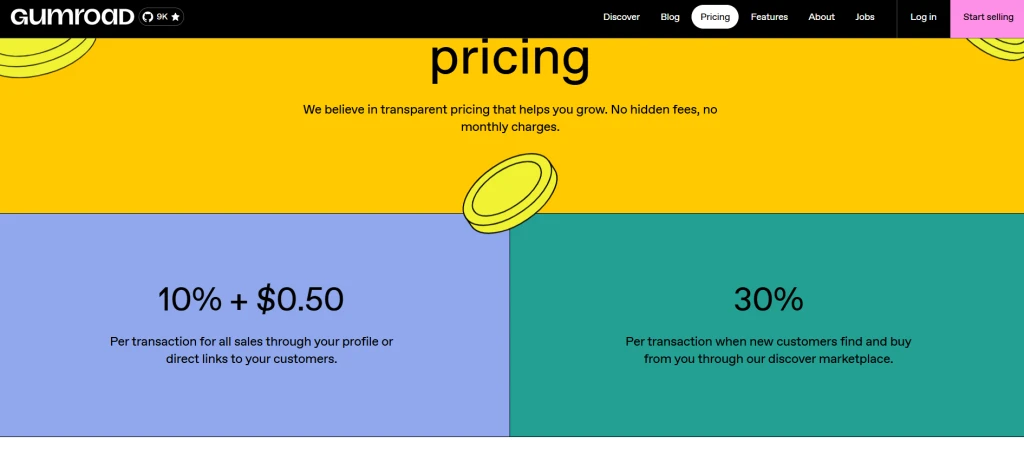
Transaction fees: Gumroad charges a 10% fee on direct sales, plus payment processing fees of 2.9% + $0.30 per transaction. However, products sold through Gumroad Discover, the platform’s built-in marketplace, attract a higher 30% fee because Gumroad helps promote and drive traffic to your product.
Beginner-friendly store setup? Yes. Gumroad has a beginner-friendly store set up. No technical or coding or technical knowledge required.
M-Pesa integration available? No. Gumroad doesn’t offer M-Pesa integration.
Other payment options: PayPal, Stripe, credit, and debit cards
Gumroad is an ecommerce platform designed mainly for creators who want to sell digital products such as e-books, online courses, music, software, artwork, templates, and other downloadable content.
Gumroad is easy to use, affordable to start, and perfect for freelancers, creatives, educators, and independent digital sellers who want a simple way to earn online. It also allows you to collect customer email addresses, making it easier to market future products directly to your audience.
Having social media pages, a website, or an email list is also important because Gumroad relies heavily on external marketing to help you attract customers. However, Gumroad charges high transaction fees. Limited store customization and strong dependence on your own marketing efforts to generate consistent sales.
To run an online shop on Gumroad, you need:
- Digital product to sell,
- Payment method, such as PayPal or Stripe
9. Magento (Adobe Commerce): Best for medium-to-large businesses
Magento is best suited for companies with large product catalogs, high sales volumes, and global operations that need a powerful, fully customizable e-commerce solution. Merchants can manage multiple online stores from a single dashboard, making it easier to run different brands, regions, or product lines without switching systems.
Magento also gives businesses full control over website design, pricing rules, and the overall shopping experience. Furthermore, it supports B2B e-commerce, which allows businesses to sell directly to other businesses.
To run an online store on Magento, businesses need a domain name, reliable hosting, technical support or a developer, and integrations such as payment gateways and shipping services to ensure smooth store operation
Website URL: https://business.adobe.com/
Price: Adobe Commerce pricing is tailored to your business needs.
Transaction fees: No. Adobe Commerce doesn’t charge transaction fees
Beginner-friendly store setup? No. Magento doesn’t have a beginner-friendly store setup. If you do not have coding experience, you may require a developer’s help to set up.
M-Pesa integration available? Yes. Adobe Commerce allows M-Pesa integration, including automated STK push
Other payment options: Credit cards, debit cards, and PayPal.
Magento is an e-commerce platform built for medium to large-sized businesses that need complete control over their online stores. Unlike simple website builders, Magento is self-hosted, meaning businesses manage their own hosting and customization. A good, cheap hosting provider is Hostpinnacle, ideal for beginners and small businesses. For better performance, Cloudways is the premium option, offering more powerful cloud hosting at a higher cost.
Magento is ideal for companies with high sales volumes and large product catalogs. It supports multiple currencies, multiple languages, and advanced product management features, making it suitable for global operations.
To use Magento, businesses install the platform on their own hosting server and customize both the front end and back end to match their needs. Businesses can also manage multiple online stores from a single dashboard, which is useful for brands operating in different countries or selling different product lines.
Furthermore, Magento is loved for its flexibility. Businesses can fully customize their website design, pricing rules, workflows, and checkout experience. In addition, Magento offers B2B (business-to-business) functionality designed for companies that sell directly to other businesses rather than to individual customers. This includes features such as custom pricing for different clients and bulk ordering options
However, Magento can be challenging for beginners because it requires technical expertise, developer support, and strong hosting management. The platform can also become expensive due to hosting costs, maintenance, security updates, and custom development.
To run an online shop on Magento, you need:
- Reliable hosting
- A domain name
- Technical knowledge or a developer
- Payment gateway integration (connecting your online store to a payment system that securely processes customer payments)
- And a business prepared to manage a highly customizable enterprise-level store.
10. Big cartel: Best for artists, makers, and small business owners (best for starters or beginners)
BigCartel is a simple e-commerce platform designed primarily for creatives, artists, and small businesses seeking an affordable, beginner-friendly way to sell online. It is popular for handmade products, custom fashion, art, and creative businesses in general. It is easy to set up, has no transaction fees, and can be connected to social media platforms like Instagram and Facebook, making it easier to reach customers. However, while it works well for small personal brands, it may not be the best choice for large stores that need advanced automation tools and more design flexibility.

Website url: https://www.bigcartel.com/
Price: $0 to $30 for monthly plans And $0 to $24 for yearly plans
Transaction fees: No. Big Cartel doesn’t charge any transaction fees
Beginner-friendly store setup? Yes. Big Cartel’s store setup is beginner-friendly
M-Pesa integration available? No. Big Cartel doesn’t support M-Pesa integration
Other payment options: Stripe and PayPal
Big Cartel is an e-commerce platform designed for creatives and small businesses selling products such as custom jewelry, clothing, art prints, and handmade items. It is beginner-friendly and works best for small, personal brands that want a simple online store without complicated tools.
To use Big Cartel, you first create an account using your email address, choose a free or paid plan, and upload your products with photos, prices, and product descriptions. Customers can then place orders online, while payments are received through PayPal or Stripe.
Big Cartel is affordable and easy to use. The free plan allows sellers to list up to five products, while paid plans start at 15 USD and 30 USD per month. Big Cartel offers social media integration with Instagram and Facebook, helping businesses promote products and reach more customers directly.
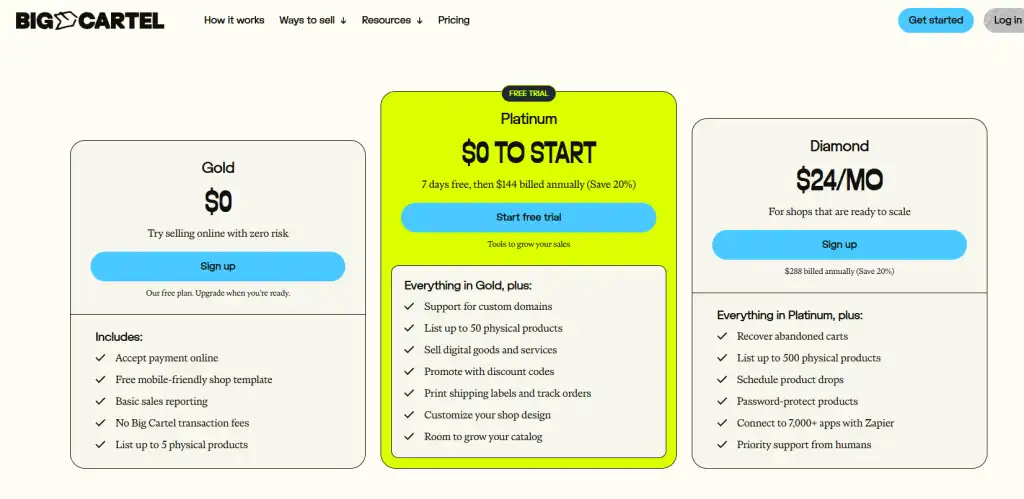
However, Big Cartel may not be suitable for large businesses or high-volume stores. It has limited design flexibility and lacks advanced automation tools for tasks such as inventory management, email marketing, and handling large volumes of orders.
To run your shop, you need:
- A business email address
- A custom domain if using the paid version ( not compulsory but recommended)
- A PayPal or Stripe account to receive payments, and products ready to sell online.
Best ecommerce marketplaces to list your shop in Kenya
The best e-commerce marketplaces for listing your shop in Kenya are: Jiji, ideal for second-hand products and small businesses. Kilimall, Jumia, Mybigorder, and Copia are suitable for small and medium-sized businesses. For fashion businesses, ShopZetu is one of the best options, while CarDuka is designed specifically for selling vehicles. Facebook Marketplace and Instagram shop are best for businesses that already receive high traffic and engagement on social media and want to turn that audience into sales.
To list your business on these platforms, you will need:
- A National ID card or passport to verify your identity
- Some marketplaces may also require a business license to confirm that your business is legally registered
- Since online shopping relies heavily on visuals, it is important to invest in clear product photography. A good smartphone or camera, proper lighting, and accessories such as ring lights can help your products look more professional and attractive to buyers.
You will also need a payment method before you begin selling. Some marketplaces, such as Jumia, require your bank details to send your earnings after successful sales.
It is also important to understand the costs involved. E-commerce marketplaces like Jumia and Kilimall charge commission fees on every successful sale. These charges vary by platform and product category, so make sure to factor them into your pricing to maintain healthy profit margins.
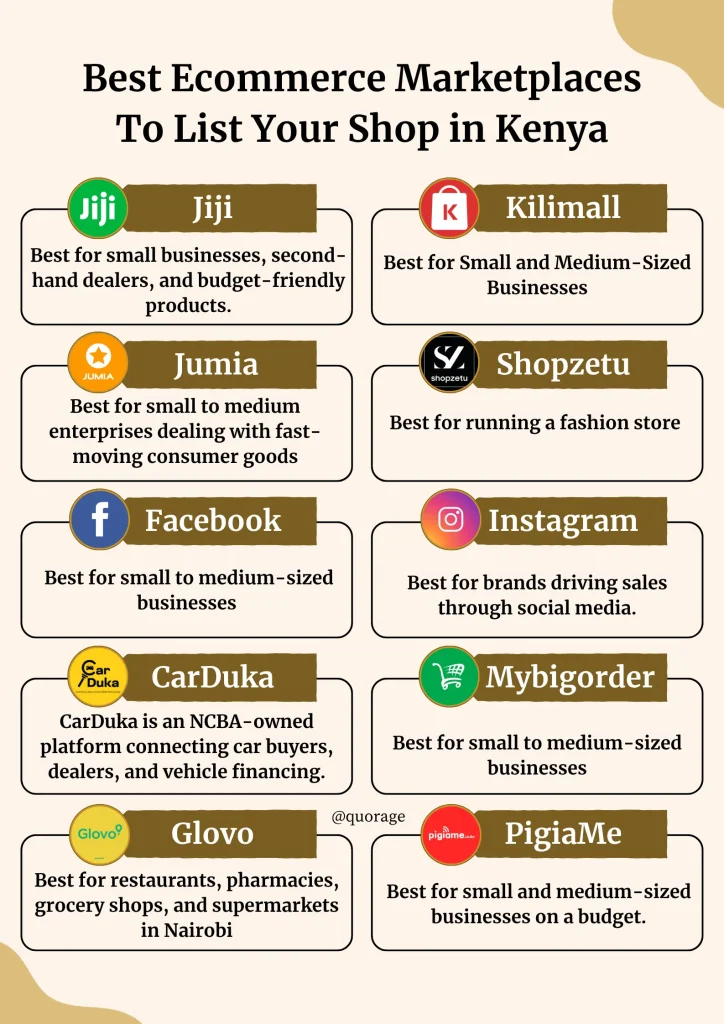
1. Jiji: Best for small and medium-sized businesses, dealers in second-hand products, and budget-friendly items
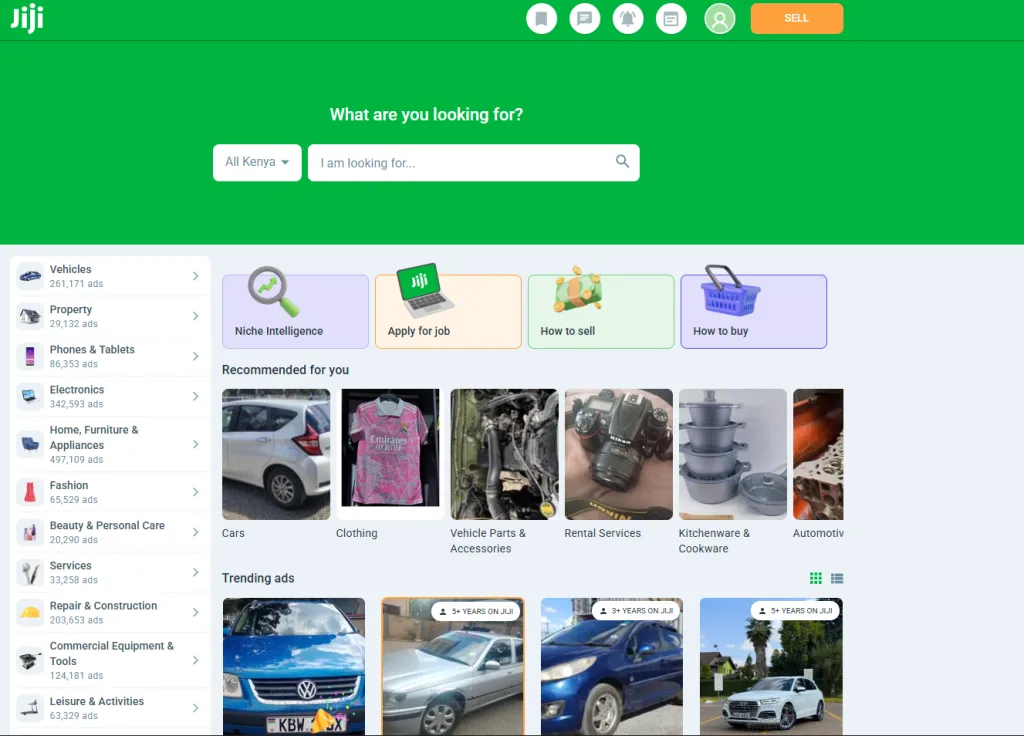
Jiji is a free, beginner-friendly online marketplace where users can sell new and second-hand products and services. Setting up a shop is simple: create an account, upload product photos, add descriptions, and include contact details such as a WhatsApp number. Since Jiji has no built-in checkout or payment system, buyers and sellers arrange payments themselves using methods such as M-Pesa or bank transfers. The platform is popular because it is easy to use and gives sellers access to many buyers, but users should be cautious of scammers because there is no payment protection.
Website: https://jiji.co.ke
Price: You can list your business for free. However, they also offer paid options such as boosted listings and featured ads.
Transaction fees: There is no direct marketplace transaction fee. Instead, you deal directly with buyers, meaning you and the customer handle payment and the agreement between yourselves, without the platform taking a cut from sales.
Beginner-friendly store setup? It is very easy to set up an account and sell on Jiji.
M-Pesa integration? Jiji has no built-in payment system. Buyers and sellers arrange payment themselves (often through M-Pesa, Send Money, Paybill, Till Number, or bank transactions).
Jiji is a free online marketplace where businesses can sell products such as phones, cars, and clothes. You can also sell services on Jiji; for instance, dental clinics and hair salons.
To list your business on Jiji, you start by creating an account. The next step is to upload photos of your product and write a product description. Lastly, include your contact details, such as a WhatsApp number. Buyers contact you directly, as there is no built-in checkout system for payments on the platform.
Jiji is popular because it’s easy to set up and use. Jiji is one of the few websites that allow sellers to list pre-loved products (secondhand items such as cars and furniture). It also gives sellers access to many ready buyers. However, there is the risk of scammers since there is no payment protection. Sellers must be careful and verify buyers before sending out orders.
To run your online shop on Jiji, all you need is:
- Clear photos of your products
- WhatsApp/M-Pesa number for communication and payments.
2. Kilimall: Best for Small and Medium-Sized Businesses
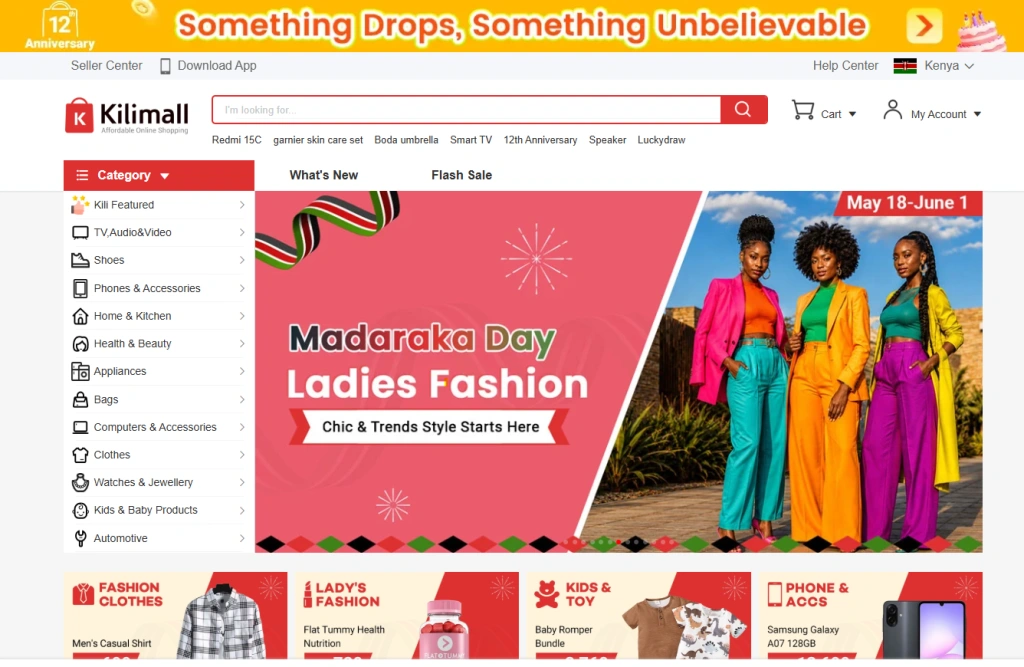
Kilimall is a beginner-friendly e-commerce marketplace where you can sell new products, including phones, clothing, electronics, and home items. Setting up a store is free and involves registering as a seller, uploading products, and managing orders through the platform. Kilimall charges a 5%-10% transaction fee on each sale, depending on the product category. There are also additional charges involved, such as a shipment fee. These fees should be factored into pricing to ensure profitability.
Sellers should be aware of challenges such as high competition, strict seller policies, order delays, and commission. To start selling, you need a business license, product photos, and time to manage orders and respond quickly to customers, as fast communication is essential for winning buyers in Kenya’s competitive online market.
Website: https://www.kilimall.ke
Price: To list your shop on Kilimall is 100% free.
Transaction fees: Yes, Kilimall has transaction fees. They charge :
- A commission, usually between 5% and 20%, depending on the product category
- Shipment and fulfillment fees
- Additional charges and penalties (Packaging fees may apply for bags or boxes at drop-off stations, optional charges apply for promotions and ads, and penalties may be deducted for issues like late delivery, cancellations, or policy violations)
You should factor these commissions into your product listing and pricing to ensure you make a profit.
Beginner-friendly store setup? Yes. The Kilimall setup process is beginner-friendly.
M-Pesa integration Available? Yes, Kilimall supports M-Pesa payments, but STK Push is handled through their system or partners, not directly from your own store setup.
Other payment options: Visa, Mastercard, Airtel Money, and sometimes PayPal( If the vendor has provided it as an option)
Kilimall is one of the best marketplaces in Kenya, where sellers can open stores and sell new products such as phones, clothes, electronics, and home items.
To sell on Kilimall, you register as a seller on the Kilimall seller center. You then wait for your details to be reviewed. After approval, you can then create a store and upload your products. Kilimall handles payments and delivery. Kilimall then sends you your payment via a bank transfer after successful sales.
It is good for growing your business online because it offers a large customer base, trusted payment systems, and delivery support.
Some of the challenges of selling on Kilimall include: high competition, a slow order approval process, strict seller rules, and paying commissions.
To run a shop on Killimal, you need:
- Business license for a business account or a national ID card or passport for an individual account.
- Professional product photos
- A bank account to receive payments after successful sales
- Also, create time to manage orders and communicate with customers. Kenyans shopping online expect fast responses, or they quickly move on to the next vendor.
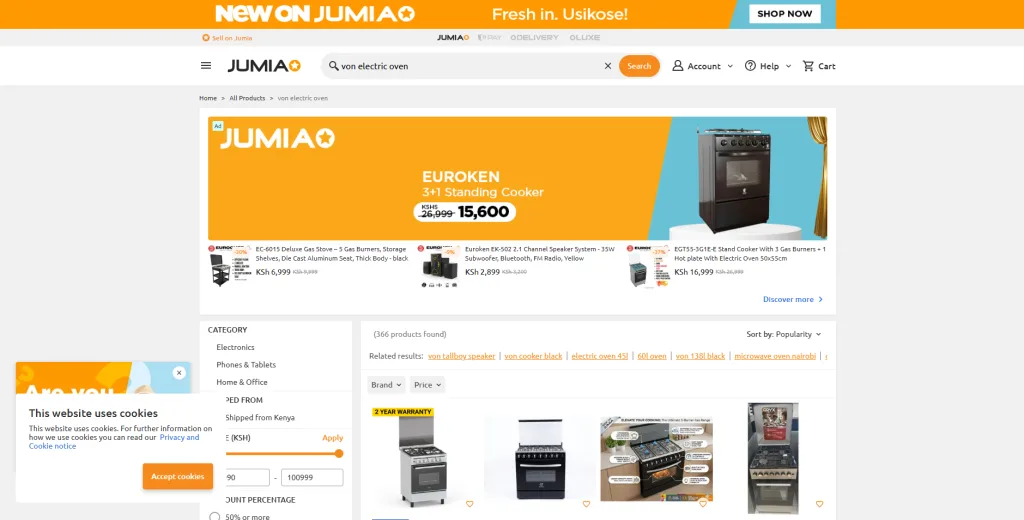
3. Jumia: Best for small to medium enterprises dealing with fast-moving consumer goods
On Jumia, you can list products such as electronics, fashion and beauty pproducts and home items. Opening a Juma seller account is free. Howeer, Jumia charges a 3% to 20% commission on each sale depending on the product category. Cuatomers can pay on Jumia using MPesa, credit and debit cards, bank transfers and airtel money. Sellers on the other hand receive their paymennts through bank transfers.
To get started, you register on the Vendor Hub as an individual or business using your National ID or business registration documents, then add your bank details for payouts. Once approved, you upload professional product photos and begin listing items.
Jumia is beginner-friendly and has an established delivery system. It also has a large customer base, but sellers face intense competition, strict regulations, and commission fees. To run a shop, you need valid KYC documents, an active bank account, and completion of Jumia’s seller training.
Website URL: https://www.jumia.co.ke/catalog/?q=von+electric+oven
Price: Free to open a seller account and list products
Transaction fees: Commission charged per sale (about 3%–20% depending on product category)
Beginner-friendly store setup? Yes, the Jumia setup is beginner-friendly.
M-Pesa integration available? Yes. Customers can pay using M-Pesa through Jumia’s payment system.
Other payment options: Credit/debit cards, bank transfer, and sometimes cash on delivery, depending on the product/location
Jumia is one of the best ecommerce marketplaces in Kenya due to its extensive delivery network and trusted payment options. Businesses and individuals can sell products such as electronics, fashion items, beauty products, and home items.
To become a vendor on Jumia, you must fill in the seller registration form on the Jumia vendor hub. You can register as an individual, in which case you will need to upload your national ID or passport. You can also register your company or business. Here you will need to upload your business registration documents. Finally, add your bank details where Jumia will send your payments.
After setting up your account and having it approved, you will need to complete the Jumia seller training. After completion, you can upload clear product photos. You are required to upload professional-grade photographs of the products for the main image. You can add secondary photos to showcase features and packaging. To learn more about Jumia image requirements, click here
Jumia has many shoppers. It processed approximately 5.1 million orders in October and November 2025. It also has a trusted countrywide delivery system. However, there are approximately 77,000 vendors on Jumia, causing high competition. They also have very strict vendor rules, and lastly, their commission eats into profits.
To run an online shop on Jumia, you need:
- Brand-new products
- Professional product images
- Valid KYC documents (National ID or business registration)
- An active bank account
- You will also need to complete the mandatory Jumia New Seller Training before you can start selling.
4. Shopzetu: Best for running a fashion store
ShopZetu is a curated online marketplace for Kenyan fashion, beauty, and lifestyle brands. Unlike open marketplaces, ShopZetu carefully vets sellers and products to maintain a specific quality and brand standard. To sell on the platform, businesses must contact the ShopZetu team through email or phone to receive guidance on the onboarding and approval process.
The exact listing process, seller fees, and transaction charges are not publicly outlined, as these depend on the agreement between the seller and ShopZetu. The platform accepts payments via M-Pesa and credit and debit cards. To get started, you mainly need a fashion or lifestyle business; ShopZetu will share the remaining requirements during the approval process.

Website URL: https://www.shopzetu.com/?srsltid=AfmBOoqWGK1NWuukOLOjcJIBN5_XsK9BfM9Fp-kFvH126d6O-0IaqXej
Price: No public monthly setup fee listed. Sellers usually join by contacting the vendor acquisition team via email (support@shopzetu.com) or phone (0703 420 780).
Transaction fees: Fees depend on the agreement between the seller and ShopZetu.
Beginner-friendly store setup? Shop Zetu does not publicly outline the full step-by-step listing process for sellers, so the exact onboarding procedure is not clearly available.
M-Pesa integration available? ShopZetu accepts M-Pesa payments for orders, but details of its M-Pesa integration are not publicly available.
Other payment options: Credit and debit cards.
Shopzetu is a curated Kenyan online marketplace where products and vendors are hand-picked and carefully vetted to ensure a specific aesthetic, quality standard, and brand alignment. They are focused mainly on fashion, beauty, and lifestyle products.
To sell on Shop Zetu, you can contact them via email or phone to get full information on listing your fashion business. Once you reach out, they guide you through their onboarding process and provide the specific requirements for approval and product listing. You can contact them via their official email support@shopzetu.com or their phone number 0748 419357.
To get started, you will need a fashion business. The remaining requirements will be shared with you after contacting them.
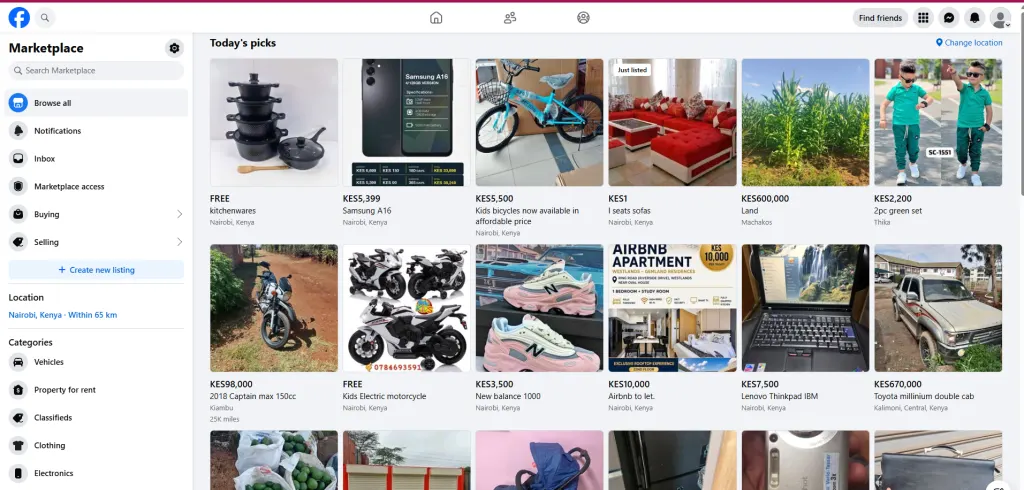
5. Facebook Marketplace: Best for small to medium-sized businesses
Facebook Marketplace is a beginner-friendly platform where individuals and businesses can sell new or used products directly through Facebook. Listing products is free, and there are usually no transaction fees in Kenya. Buyers and sellers arrange payments privately through methods such as M-Pesa, cash, bank transfers, PayPal, or card payments. It is ideal for small businesses and entrepreneurs looking to reach local buyers quickly. To start selling, you need an active Facebook account or business page, clear product photos, and a payment method such as M-Pesa. Facebook has a large audience and is easy to use; however, sellers often deal with uncommitted buyers, repeated inquiries, and scammers who use fake payment confirmations or delivery scams, so be cautious when handling transactions.
Website URL: https://www.facebook.com/marketplace/114751268540391/
Price: Free to list products
Transaction fees: None in Kenya; payments are arranged directly between the buyer and seller.
Beginner-friendly store setup? Yes. Very easy to use since all you need is your Facebook account to strat selling
M-Pesa integration available? No direct built-in M-Pesa checkout or STK Push system. Buyers and sellers make payment arrangements.
Other payment options: Cash, bank transfer, PayPal, or card payments can be arranged privately between buyer and seller.
Facebook Marketplace is a Meta-owned platform where individuals and businesses can list, buy, and sell new or used items.
Facebook Marketplace is best for small businesses on a budget. It gives you free access to millions of active users without requiring a marketing budget or technical skills to build a website. Since Marketplace is integrated into Facebook, you can start selling using your existing Facebook account without creating a separate seller account. However, sellers may face challenges such as scammers, and buyers who fail to follow through with purchases.
To successfully run a shop, you need:
- An active personal or Business Fb page
- A smartphone or camera to take product photos
- The Facebook/Messenger app to handle customer inquiries in real-time
- A reliable payment method (like M-Pesa or a bank account) to receive funds from your customers safely.
6. Instagram Shopping: Best for Fashion, beauty, home decor, lifestyle brands, and businesses with large, engaged followings looking to turn social traffic into sales
Instagram Shopping is a social commerce tool that allows businesses to showcase products directly on Instagram through posts, reels, stories, and product tags. Setting up an Instagram Shop is free, and Meta does not charge transaction fees because payments are processed on the seller’s external website rather than within Instagram. Instagram Shopping is best for visually driven businesses such as fashion, beauty, lifestyle, and home décor brands that already have strong social media engagement

Price: Free to set up an account and create a shop. There are no monthly subscription fees for using the platform.
Transaction fees: Meta does not charge transaction fees because it does not process the payments itself. Payments are handled on your website through your payment provider.
Beginner-friendly store setup? No. Instagram shop does not have a beginner-friendly setup. While posting on Instagram is easy, configuring Instagram Shopping is more technical and strict.
M-Pesa integration available? Instagram Shop does not have direct M-Pesa integration. Instead, it is mainly used to display your products on Instagram, while the actual payment happens outside the platform on your external website or checkout system.
Other payment options: It depends on the payment system your website uses. Common options include PayPal, Visa/Mastercard cards, Airtel Money, and bank transfers.
Instagram Shopping is a set of built-in social commerce tools on Instagram that turns your profile into an interactive online storefront. Instead of only posting photos or videos and telling customers to “click the link in bio,” businesses can upload a full product catalog directly into the Meta system. This catalog includes product names, images, prices, and descriptions, and it connects directly to your Instagram account.
Once your shop is approved through Meta’s review process, you can start linking your catalog to your content. When you post a Feed photo, Carousel, Reel, or Story, you can use the “Tag Products” feature to attach specific items from your inventory directly to the content. This means that when users are scrolling and see something they like, they can tap the product tag to open a product card that shows details such as the name, description, and price. Customers are then redirected to your external website to complete the purchase.
Instagram Shopping is best for visually driven businesses like fashion, beauty, home décor, and lifestyle brands. However, it is not always simple to set up. Businesses must pass Meta’s strict approval process, which checks account details, product catalogs, and website consistency. They also need an external eCommerce website with proper policies, accurate product listings, and a connected Facebook Business Page. Even after setup, the store must be carefully maintained to ensure products, prices, and stock levels stay accurate across both Instagram and the website.
To run an Instagram shop, you need:
- It requires a Professional Business/Creator account
- A fully functional external website (for example, a Shopify store where customers complete checkout)
- Domain verification in Meta Business Manager(Website ownership confirmation)
- A Facebook Business Page
- A product catalog
- Passing a compliance review by Meta.
7. CarDuka
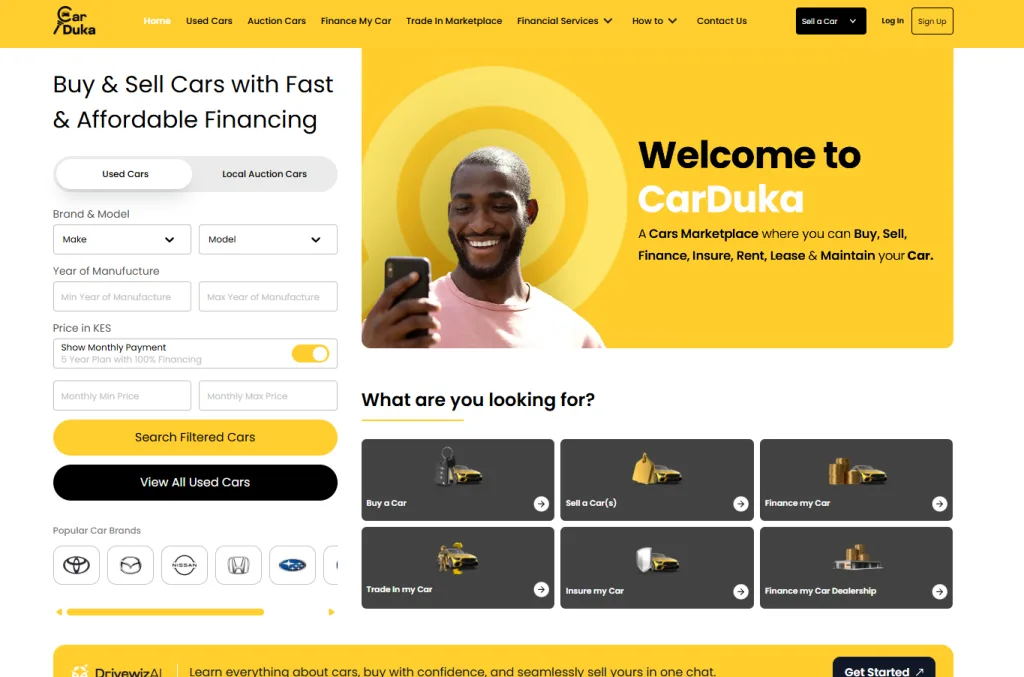
CarDuka is an online vehicle marketplace in Kenya, owned by NCBA Group, that connects car dealers with buyers and supports vehicle financing through NCBA’s banking services. Listing a dealership requires registration with personal details and a national ID, followed by business verification using documents such as a certificate of incorporation and proof of physical location.
Website URL: https://carduka.com/
Price: Signing up and selling on CarDika is free
Transaction fee: Since CarDuka mainly connects buyers and sellers (and supports financing through NCBA), fees may depend on financing or dealership agreements rather than on fixed platform commissions.
Beginner-friendly store setup? Yes, setting up and selling on CarDuka is beginner-friendly
M-Pesa integration available? No, CarDuka doesn’t have MPesa integration
Other payment options: Payments are typically handled through dealer-buyer arrangements via NCBA systems.
CarDuka is an online vehicle marketplace in Kenya owned by NCBA Group, a leading banking institution. It is designed to connect car dealers with buyers and to support financing options through NCBA’s banking services.
To use CarDuka, you first sign up as an individual by providing your personal details and national ID. After that, you proceed to register your dealership. This requires uploading your certificate of incorporation, business logo, and physical location. Once approved, you can list vehicles for sale and manage your dealership profile on the platform.
Challenges you may face include the multi-step verification process, which can take time. You also need proper business documentation before listing.
To run your shop, you need:
- A valid ID
- Business registration documents (certificate of incorporation)
- Dealership details such as location
- Vehicle listings with photos and descriptions
- Payment processing and financing support are handled through NCBA-linked systems, Other payment arrangements depend on the buyer and financing setup.
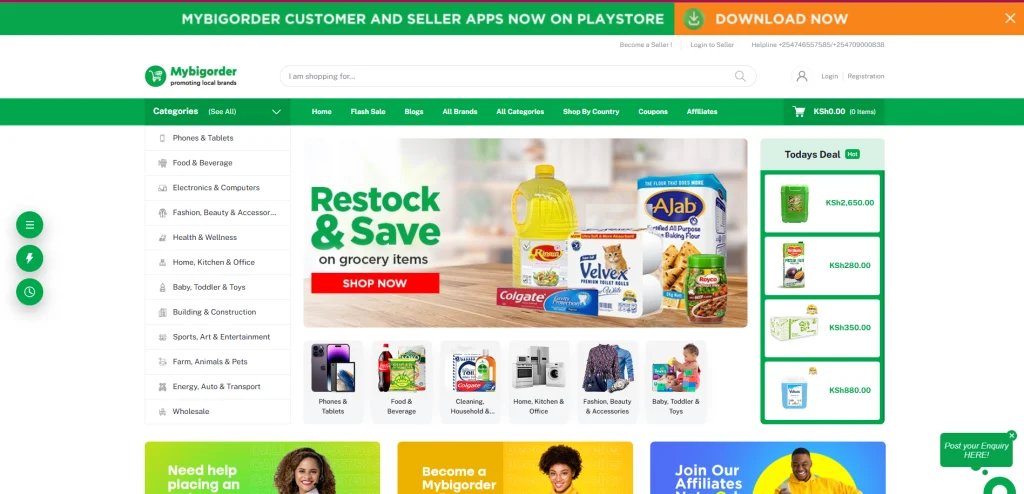
8. Mybigorder: Best for small to medium-sized businesses
Website URL: https://mybigorder.com/
Price: Opening a shop and posting products or services on mybigorder is free
Transaction fee: My big order charges a commission per sale, depending on the category of the product
Beginner-friendly store setup? Yes, setting up an account on Mybigorder is beginner-friendly
M-Pesa integration available? MPesa integration is available. Payments are done through my big order, so they handle the STK push
Other payment options: Airtel Money, PayPal, and bank transactions
My Big Order is an online marketplace where businesses can create an online store and sell their products. It is best suited for small and medium-sized businesses that want to start selling online without spending a lot of money on building a website. Instead of creating a store from scratch, vendors simply register for an account, set up their shop, and upload at least three products for verification. Once the account is verified, they can begin selling
To run a store on My Big Order, you need:
- A valid phone number and email for verification
- High-quality product photos
- A bank account to receive payment after a successful sale
9. Glovo: (Best for restaurants, pharmacies, grocery shops, and supermarkets in Nairobi)
Glovo is best for restaurants, supermarkets, pharmacies, and small businesses that want fast delivery services and access to more online customers in Nairobi. To register, you need a business license, a KRA PIN, and bank details for receiving payments. However, businesses may face challenges such as commission fees, competition, and delivery delays during busy hours. To run an online shop on Glovo, you need business documents and products to sell.
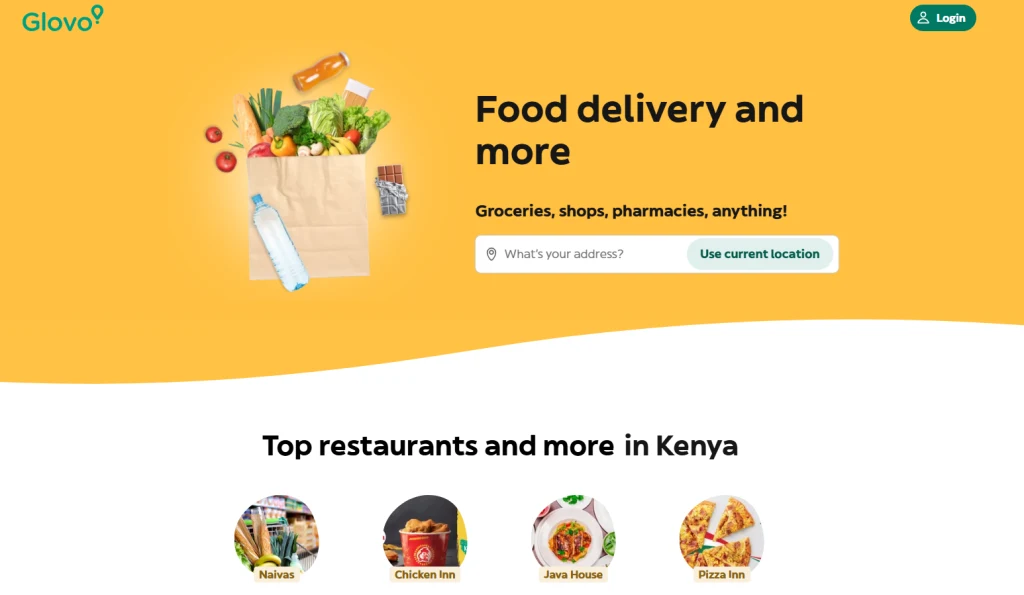
Website URL: https://glovoapp.com/en
Price: Setting up a Glovo account is free
Transaction fee: Glovo charges a 15% to 25% per completed order. If you use Glovo’s delivery system, you can pay a commission of up to 30%.
You can also run ads on Glovo to appear at the very top of your business category, and this incurs extra charges.
Beginner-friendly store setup? Setting up a Glovo account is beginner-friendly.
M-Pesa integration available? Yes. M-Pesa integration is available on Glovo. However, because Glovo processes customer payments directly, sellers cannot send payment prompts to customers directly.
Other payment options: M-Pesa, Airtel Money, master card, Visa card, and PayPal. However, vendor payouts are done through direct bank transfers.
Glovo is a delivery platform that enables businesses to sell products online and deliver them to customers quickly. It is commonly used by restaurants, supermarkets, pharmacies, and small businesses that want to reach more customers through delivery services. Customers can order directly from the Glovo app, making it easy for businesses to receive and manage orders.
To use Glovo as a business owner, you first register your business and submit the required documents for approval (business license and KRA PIN). After approval, you upload your products, prices, and business information to the platform. Customers can then browse your shop and place an order. Glovo riders handle most deliveries after an order is placed.
Glovo is best for businesses that want fast delivery services and access to a large number of online customers. However, you may face challenges such as intense competition, commission fees, delivery delays during peak hours, and limited control over delivery services.
To run your online shop on Glovo, you need:
- Business registration documents (business license and KRA PIN)
- Products to sell.
10. PigiaMe
PigiaMe is a free online marketplace that allows Kenyan businesses to sell products and services without building a website. It is ideal for small and medium-sized businesses looking for an affordable way to reach a large audience. Sellers can list products for free, keep all transaction proceeds because PigiaMe does not charge transaction fees, and pay for promotional features to increase visibility. However, sellers must manage their own payments, deliveries, and customer communication, and may face strong competition from other vendors. To get started, you need a verified phone number, quality product photos, a delivery solution, and a payment method such as M-Pesa or Airtel Money.
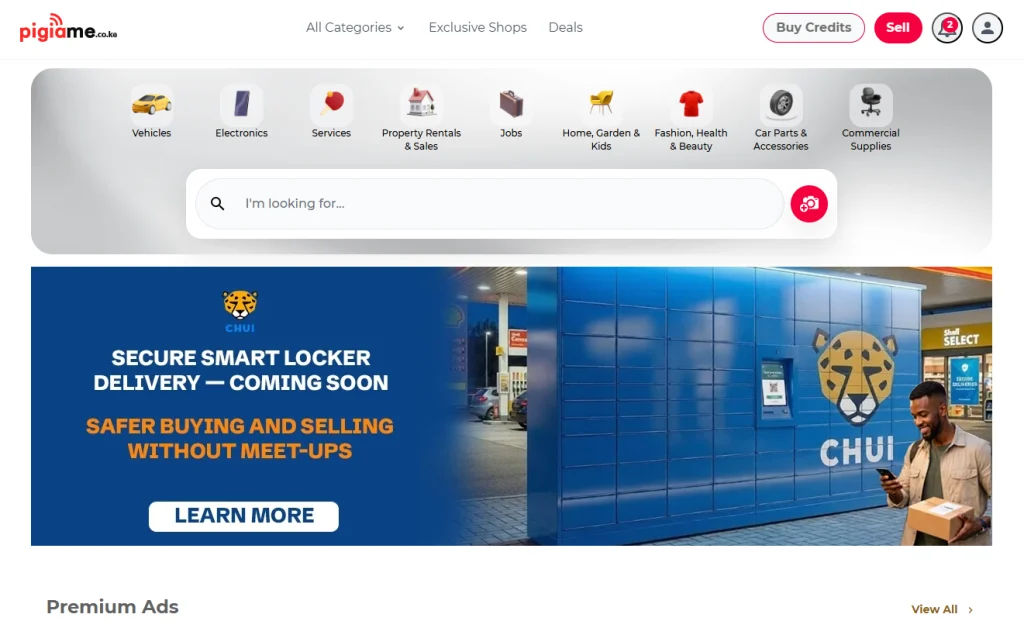
Website URL: https://www.pigiame.co.ke/
Price: Setting up an account with Pigia me is free. However, you have the option of boosting your products or services with prices starting at KSH 1000 to KSH 3000
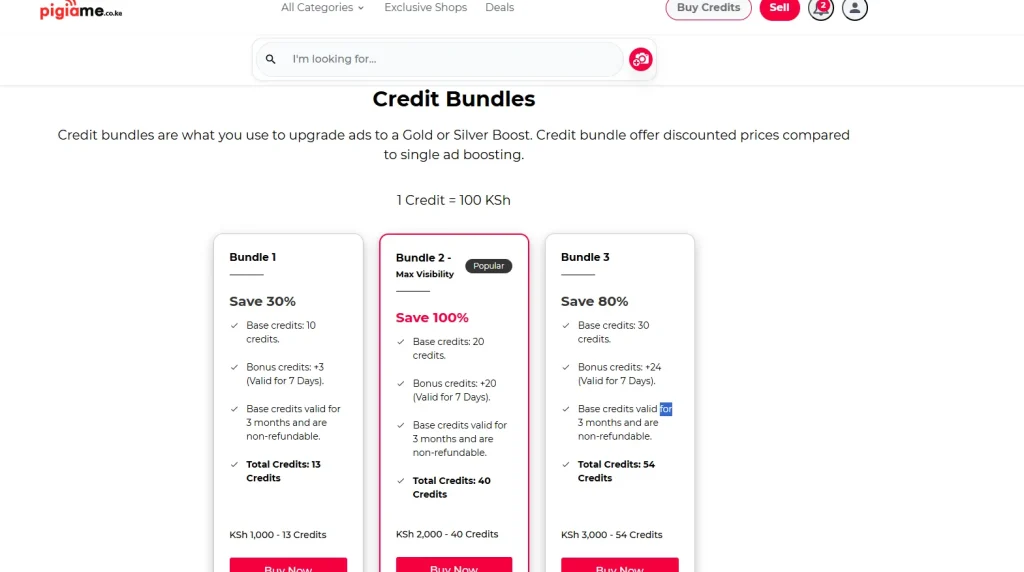
Transaction fees: No PigiaMe doesnt charge a transaction fee
Beginner-friendly store setup? Yes, settinup an account with PigiaMe is beginner friendly
M-Pesa integration available? Yes. Businesses can pay using M-Pesa, and can use STK push. The vendor handles all transactions
Other payment options: Vendor can use Airtel money, bank transfers
PigiaMe is an online directory and marketplace that connects buyers and sellers across Kenya. It is best suited for small and medium-sized businesses looking for an affordable way to sell online without building a website. You can sell electronics, vehicles, property, fashion, home items, and services. Creating an account and posting ads is free, although paid boost options are available to increase product visibility.
Follow this link for a step by step guide on how to register a store and sell on PigiaMe
One of the biggest advantages of PigiaMe is that it is free to get started, giving businesses access to a large audience of potential buyers across Kenya. It also doesn’t charge transaction costs, helping vendors keep more of their profits. It is easy to use, requires no technical skills, and offers paid promotion options for sellers who want more visibility. However, sellers may face high competition, lower visibility for free listings, and the risk of dealing with scammers or unreliable buyers. Sellers are also responsible for managing deliveries and customer communication.
To run a successful store on PigiaMe, you need:
- A valid phone number for verification
- Quality product photos
- You must arrange your own delivery service, as the platform does not deliver orders for vendors.
- You will also need a payment system such as M-Pesa or Airtel Money, as PigiaMe does not process transactions on behalf of vendors.
The ball is in your Court!
Choosing the right ecommerce platform depends on your business size, budget, technical skills, and the kind of online shop you want to build. Some platforms are better for beginners who want a simple setup, while others are designed for businesses that need more customization and advanced features. It is also important to think about payment options, hosting, delivery methods, and future business growth before making your decision. Whether you are running a small side hustle, a growing brand, or a large business, the best ecommerce platform is the one that fits your needs and helps you manage your shop comfortably as your business grows.
