9 Best SEO Chrome Extensions for 2026
Check out my best chrome extenstions for search engine optimization

Iryna Podliesna
Guest Writer @ Quorage

In 2026, the global SEO market crossed the $83.9 billion mark. Yes, it still works and brings impressive results. We have to admit that it’s not easy to promote a website today, as search engines test new AI algorithms and tighten content requirements.
Routine tasks eat up a lot of time and energy: looking for opportunities to place links, analyzing competitors, monitoring indexing status, or extracting metrics. But there’s great news here. I compiled my best Google Chrome extensions that address the pain points of digital professionals.
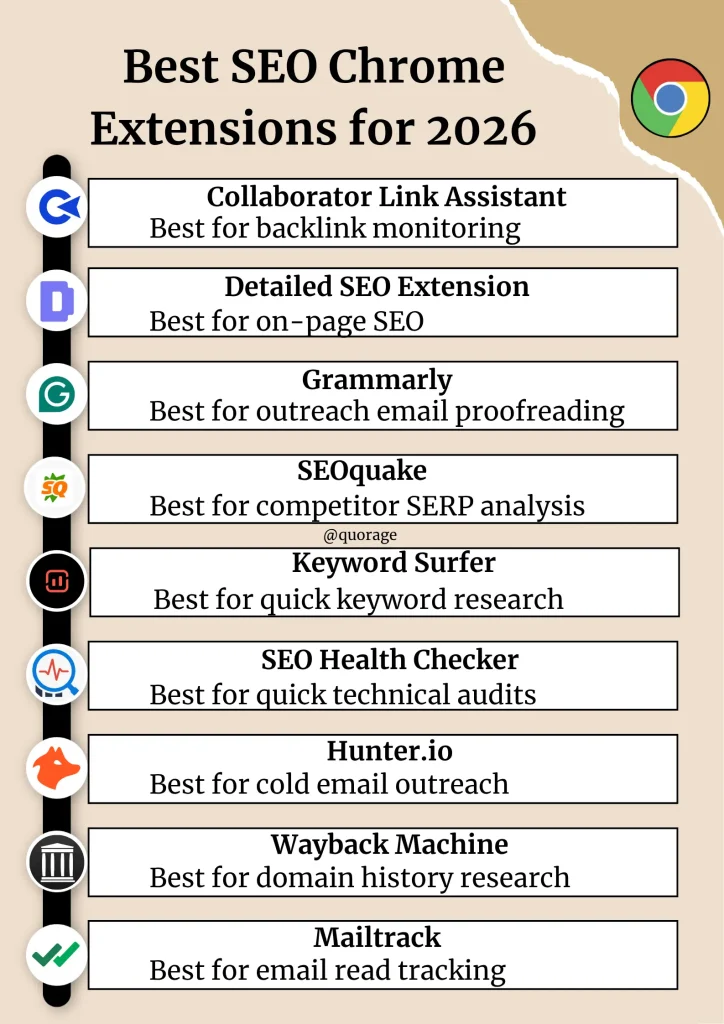
Let’s get straight to it.
1. Collaborator Link Assistant: Best for backlink monitoring
Let’s start with the Collaborator Link Assistant Chrome extension. The extension is best for backlink monitoring and link building. As a result, you work smarter, not harder.
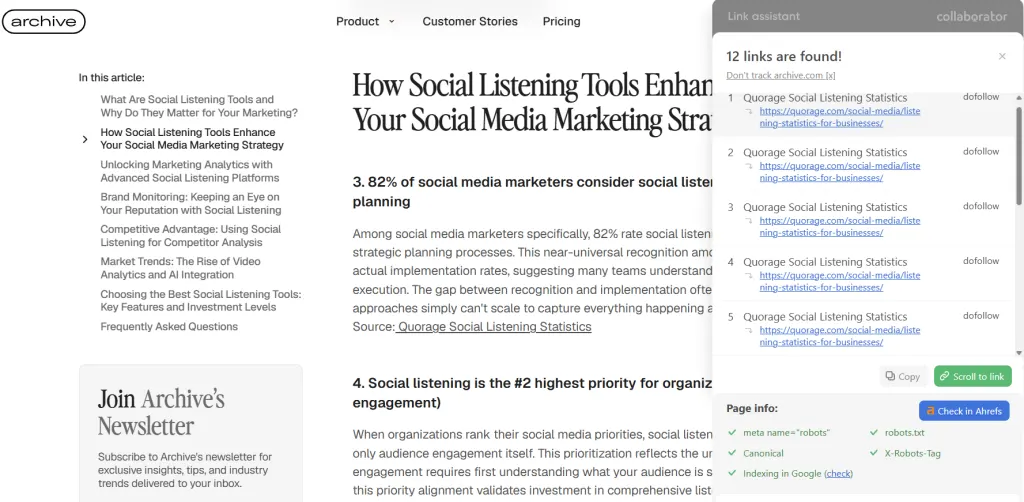
Link Assistant allows you to detect your backlinks on any page you visit, check link attributes, and instantly see whether a website is available in the Collaborator marketplace along with its placement price directly in SERPs and Ahrefs.
Key benefits
- Instantly detects your backlinks and highlights them on the page
- Checks link attributes (nofollow, sponsored), indexation status and technical validation signals
Shows Collaborator marketplace availability and placement prices directly in Google SERPs and Ahrefs - Quick export of all collected data in one click (to clipboard or Google Sheets).
- Convenient ability to save sites to your favorites.
What you should consider
- Placement prices are only available for websites listed in the Collaborator marketplace.
Pricing: Free to install and use
Best for
- Dedicated link-building professionals
- In-house SEO outreach teams
- Busy content marketing managers
- Agencies managing multiple campaigns
We’re going to take a look at how Link Assistant looks in practice.
Imagine you run a marketing agency and regularly launch outreach campaigns for a dozen clients every month. Normally, your link builder would have to review placement prices, manually search (Ctrl+F) placed links, check their link attributes (dofollow, nofollow, sponsored) and indexation. It would take hours. But with a Collaborator Link assistant you can save time on routine checks and focus on scaling your link building strategy. Isn’t that great?
2. Detailed SEO Extension: Best for on-page SEO
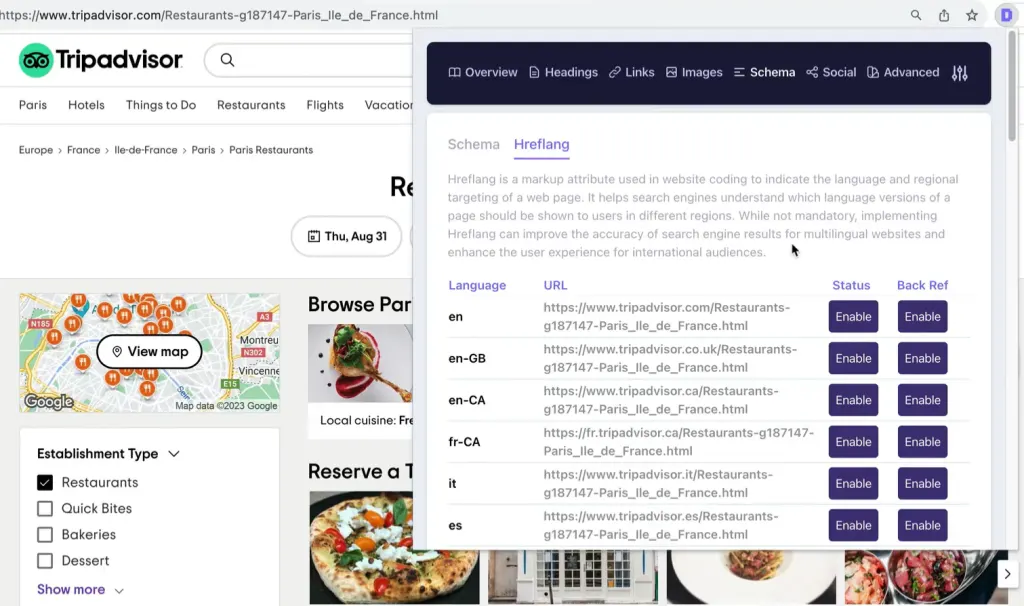
Detailed SEO Extension is effective for auditing on-page parameters on any web page. The extension extracts meta tags, headings, schema markup, and canonical links in one click. Thus, you can quickly assess the technical condition of the target site or check your own publications.
Key benefits
- Instant analysis of the page title hierarchy.
- Quick check of canonical links and robots attributes.
- Convenient extraction of all internal and external links.
- Detailed overview of structured data and schema markup.
What you should consider
- The extension focuses on on-page optimization and doesn’t analyze backlinks.
- If you need a deep scan of a large-scale site, you still have to use desktop crawlers.
Pricing: Completely free, no premium tier.
Best for
- Technical SEO specialists
- Content managers and editors
- Quick on-page audits
The Detailed SEO Extension helps you check the on-page SEO specifications of a specific URL. This is the tool’s main specialization. The extension does a good job of basic auditing. However, if you want to see advanced metrics or track backlinks, we recommend installing the previous one.
3. Grammarly: Best for outreach email proofreading
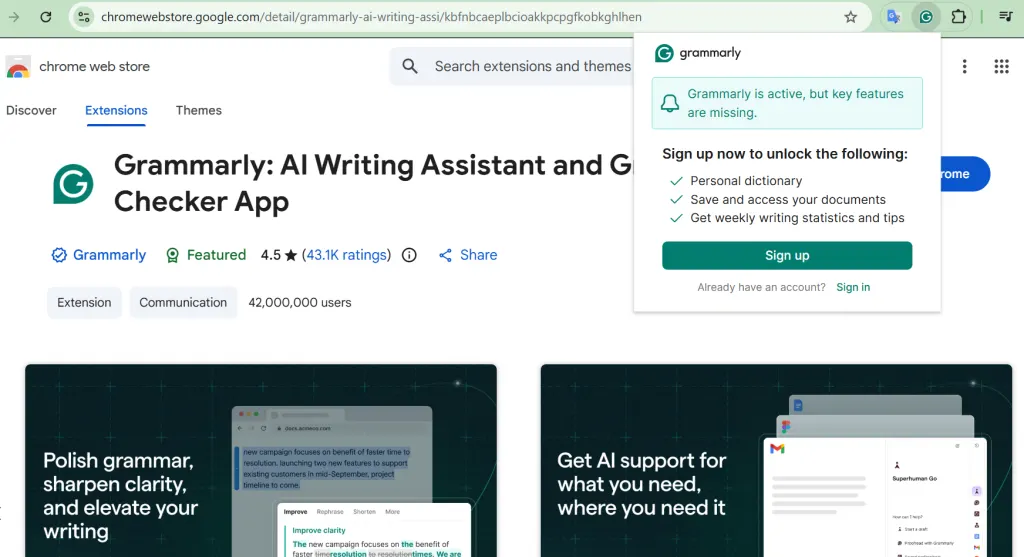
Grammarly is great for editing and proofreading English-language content. The smart assistant proofreads your website content, outreach emails, guest posts, and meta descriptions. The tool corrects grammar, style, and tone right as you write.
I use Grammarly daily. It catches small grammar mistakes that are easy to miss, especially when sending dozens of pitches per week.
Key benefits
- Real-time spellchecking and punctuation.
- Adapting the tone of the text to the target audience.
- Intelligent suggestions for improving style.
- Native integration with email clients.
What you should consider
- The best deep-style editing features are only available in the Premium version.
- The tool sometimes offers academic corrections for a lively, conversational, informal style.
Pricing: Free for basic checks. Grammarly Pro starts at US$12 per month for deeper style and tone suggestions.
Best for
- Outreach managers and linkbuilders
- English content writers
- Daily business communications
You can use Grammarly to check and edit various types of text. The tool helps you avoid typos and mistakes and make your content professional and stylistically adapted.
4. SEOquake: Best for competitor SERP analysis
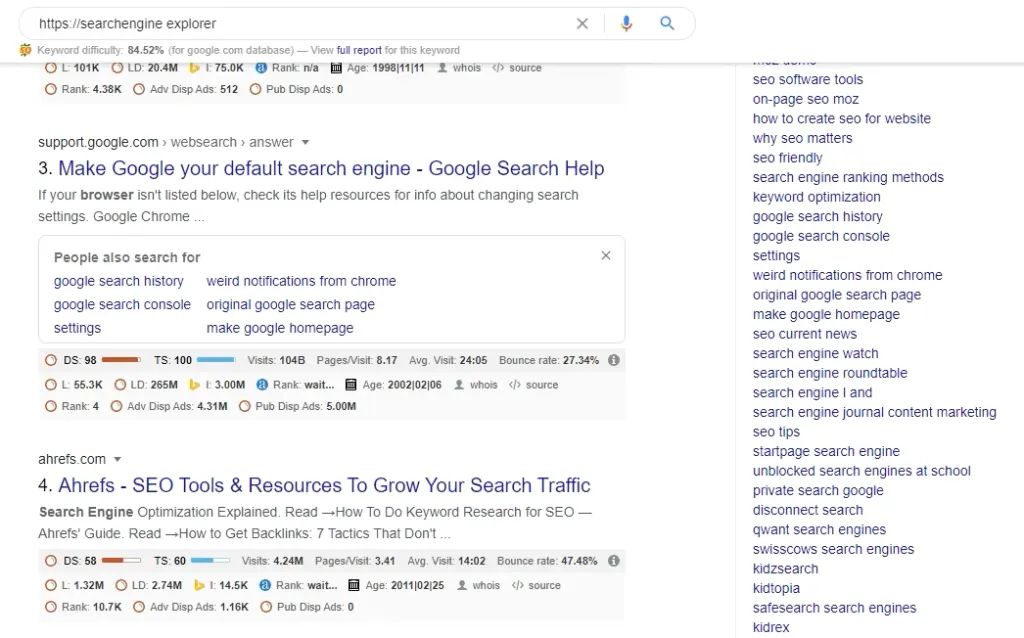
SEOquake by Semrush turns your search page into an analytics dashboard. The Chrome extension displays key domain metrics, traffic scores, and page parameters right under each result in the SERP (search engine result page). This way, you can see the effectiveness of your competitors’ link-building campaigns.
Key benefits
- Display SEO metrics in search results.
- Quick basic audit of internal and external links on a page.
- Compare multiple domains by key performance indicators.
- Export collected analytics data to CSV files.
What you should consider
- The interface may seem a bit overloaded for beginners.
- To get accurate data and remove limits, connect a free Semrush account.
Pricing: Free, with a free Semrush account needed to unlock full data and remove limits.
Best for
- Competitor SERP analysis
- Comprehensive domain evaluation
- Advanced SEO researchers
SEOquake gives you a data stream for instant competitor analysis right in the search engine. You save time on manual data extraction and get key statistics right on top of the familiar browser interface.
5. Keyword Surfer: Best for quick keyword research
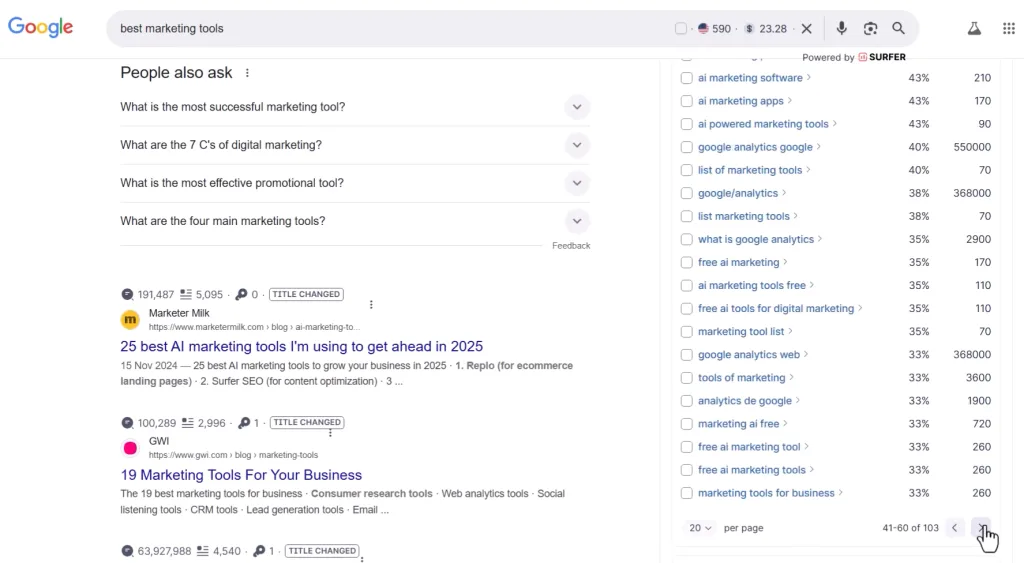
If you want to see search volume directly in Google search results, try this extension from Surfer SEO. Instead of logging into separate planners, the Keyword Surfer extension embeds search volume, CPC, and related query suggestions right next to your search bar. Turn your browser into a live station for keyword research and strike while the iron is hot 🙂
Key benefits
- Displays search traffic volumes in search results.
- Suggests keyword ideas for content.
- Analyzes the estimated traffic of top competitor pages.
- Shows average cost per click for queries.
What you should consider
- Search volume data may differ slightly from the official Google planner.
- The tool is suitable for quick brainstorming, but is not a substitute for in-depth cluster analysis.
Pricing: Free for basic checks; Surfer’s paid plans add deeper content and keyword research features beyond the extension.
Best for
- Content marketing strategy planning
- Quick keyword volume checks
- SEO copywriters and bloggers
Basic topic research takes much less time when you use Keyword Surfer instead of a manual approach. The tool is a great choice for professionals who want to keep an eye on trends and quickly assess the potential of new topics without unnecessary movement and switching between tabs.
6. SEO Health Checker: Best for quick technical audits
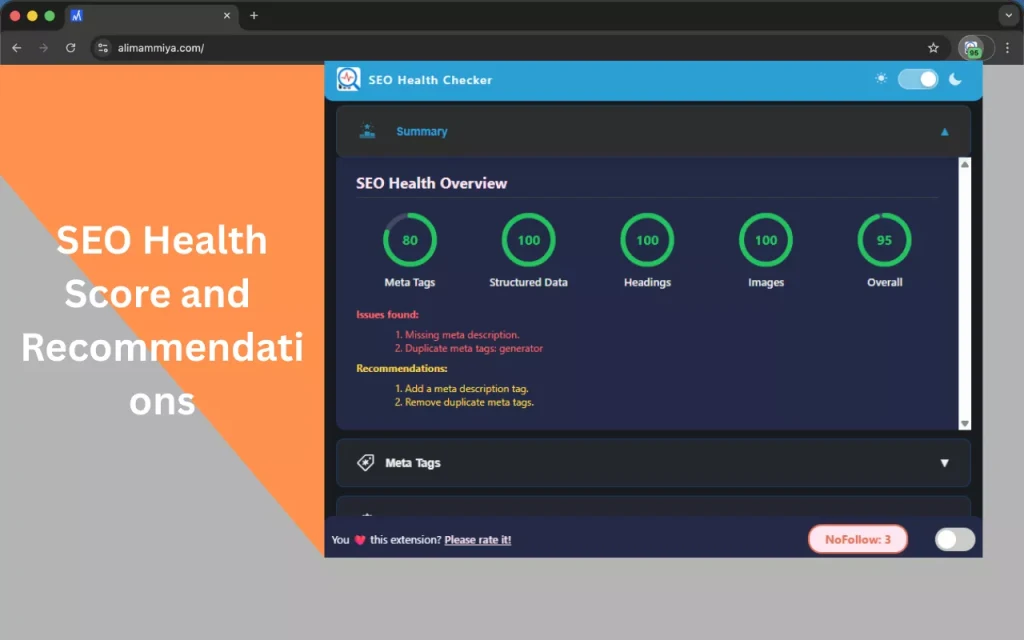
As you might guess from the name, SEO Health Checker assesses your site’s health and detects critical technical errors. The extension checks for status codes, broken links, redirect chains, and invalid image attributes.
Key benefits
- Detects critical errors in on-page optimization.
- Tests the correctness of existing redirects.
- Finds broken links and missing image attributes.
- Evaluates overall loading speed.
What you should consider
- The extension isn’t powerful enough to audit large online stores.
- Scanning pages loaded with scripts slows down browser performance.
Pricing: Free
Best for
- Quick technical site audits
- Webmasters fixing indexing errors
- Freelance SEO consultants
Do you need a landing page analysis or a checklist of edits for developers? SEO Health Checker is suitable for such purposes. Using this extension, you keep your site’s technical health under control.
7. Hunter.io: Best for cold email outreach
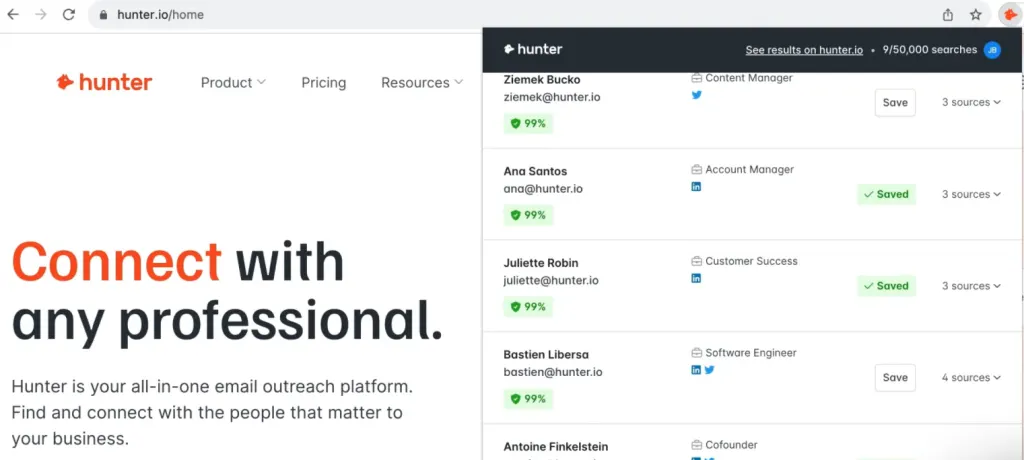
Tired of searching for contacts for outreach all over the Internet? Install Hunter.io and get corporate email addresses for potential partners in a few minutes. At the same time, you can can verify if the emails are legit.
Key benefits
- Finds corporate email addresses.
- Checks the validity of found contacts.
- Shows the names and positions of the owners of the found emails.
- Allows you to quickly save contacts to your own databases.
What you should consider
- The free version has monthly limits on the number of searches and verifications (25 monthly searches and 50 email verifications)
- The Chrome extension finds only those business emails that have appeared at least once in open sources.
Pricing: Free plan with monthly search limits; paid plans unlock higher volume.
Best for
- Cold email outreach campaigns
- B2B sales and networking
- PR and link building
During outreach campaigns, Hunter saves hours on email outreach and helps find contact details for websites that didn’t publicly list editorial emails. Find the right people quickly, check contacts and verify them in minutes, and hit the bullseye with the first email.
8. Wayback Machine: Best for domain history research
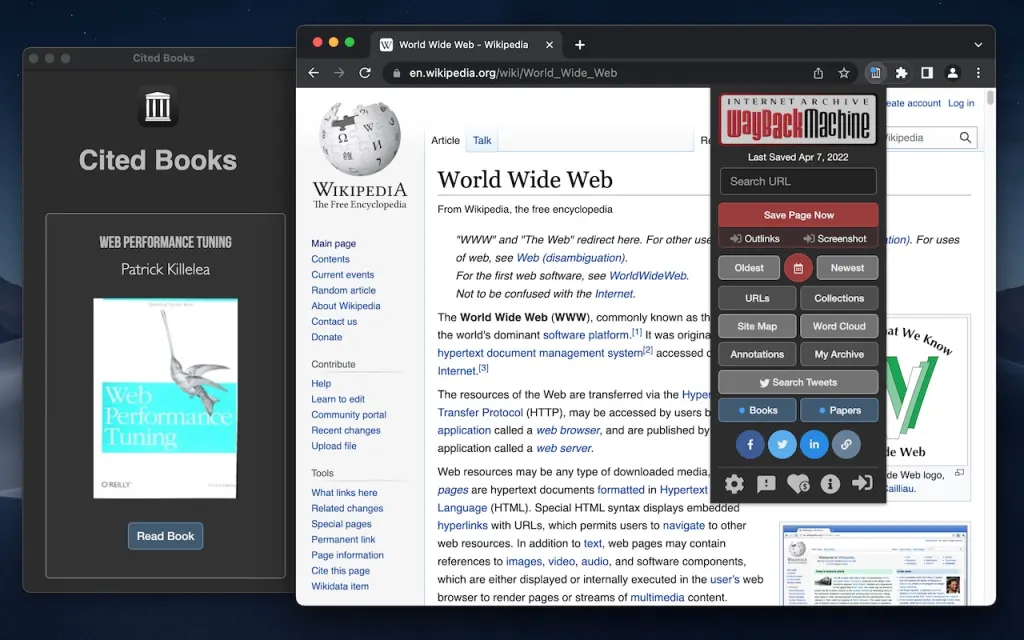
Are you planning to buy a domain or place expensive backlinks? You need the Wayback Machine to research history. It allows you to see all changes that a website has gone through over the years. Yes, sites could be used as a spam network or radically change topics, which isn’t good for page rankings. The Chrome extension helps separate the wheat from the chaff and avoid toxic sites.
Key benefits
- Shows archived saved copies of any web page.
- Helps to detect past drastic changes in the domain topic.
- Detects hidden traces of the use of spam PBNs.
- Automatically offers an archived version in case of a 404 error.
What you should consider
- The tool doesn’t always have data for new or little-known sites.
- Loading old visual elements on archived copies sometimes occurs with a certain delay.
Pricing: Free. It’s a nonprofit project run by the Internet Archive.
Best for
- Expired domain historical research
- Evaluating prospect site quality
- Recovering lost web content
Wayback Machine protects you from unsuccessful link-building investments. Thanks to this integration, you always have a complete picture of the past site and can avoid a bullet.
9. Mailtrack: Best for email read tracking
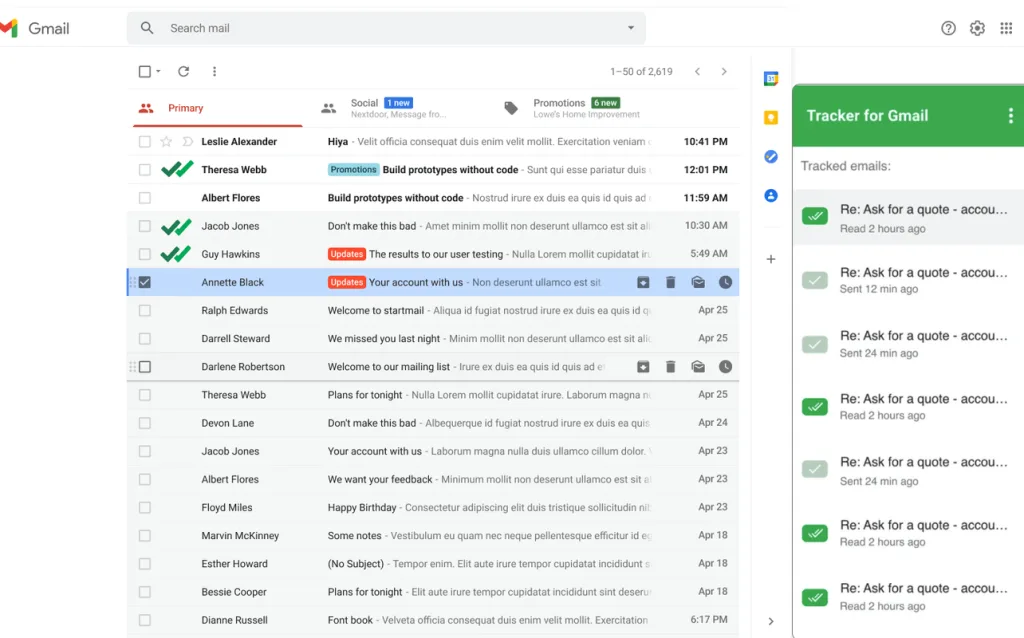
Mailtrack changes the way you approach follow-ups. The Gmail add-on adds familiar green checkmarks to sent emails, notifying you when the webmaster opens your pitch and how many times they viewed it. If you understand that the email was read but, for some reason, ignored, you can adjust your tactics in time.
Key benefits
- Shows the exact time your email was first opened.
- Sends notifications about reading important messages.
- Tracks the number of clicks on links within the pitch.
What you should consider
- In the free version, the service’s corporate signature is added to your emails.
- Some strict corporate anti-spam filters may block tracking pixels.
Pricing: Free with a Mailtrack signature added to your emails; the paid Pro plan removes the signature and unlocks more tracking.
Best for
- Link builders
- PR and outreach specialists
Knowing that your message has reached its goal is half the success in communication. With this Gmail add-on, you stop acting blindly and always understand when the perfect moment comes to touch base with a potential partner again.
Final thoughts
Let software perform routine tasks for you. Use smart assistants to automate processes that could otherwise take hours of your time. Of course, you don’t have to plug in all the tools at once. Start with the ones that are most relevant to your current tasks.
